表单
简介
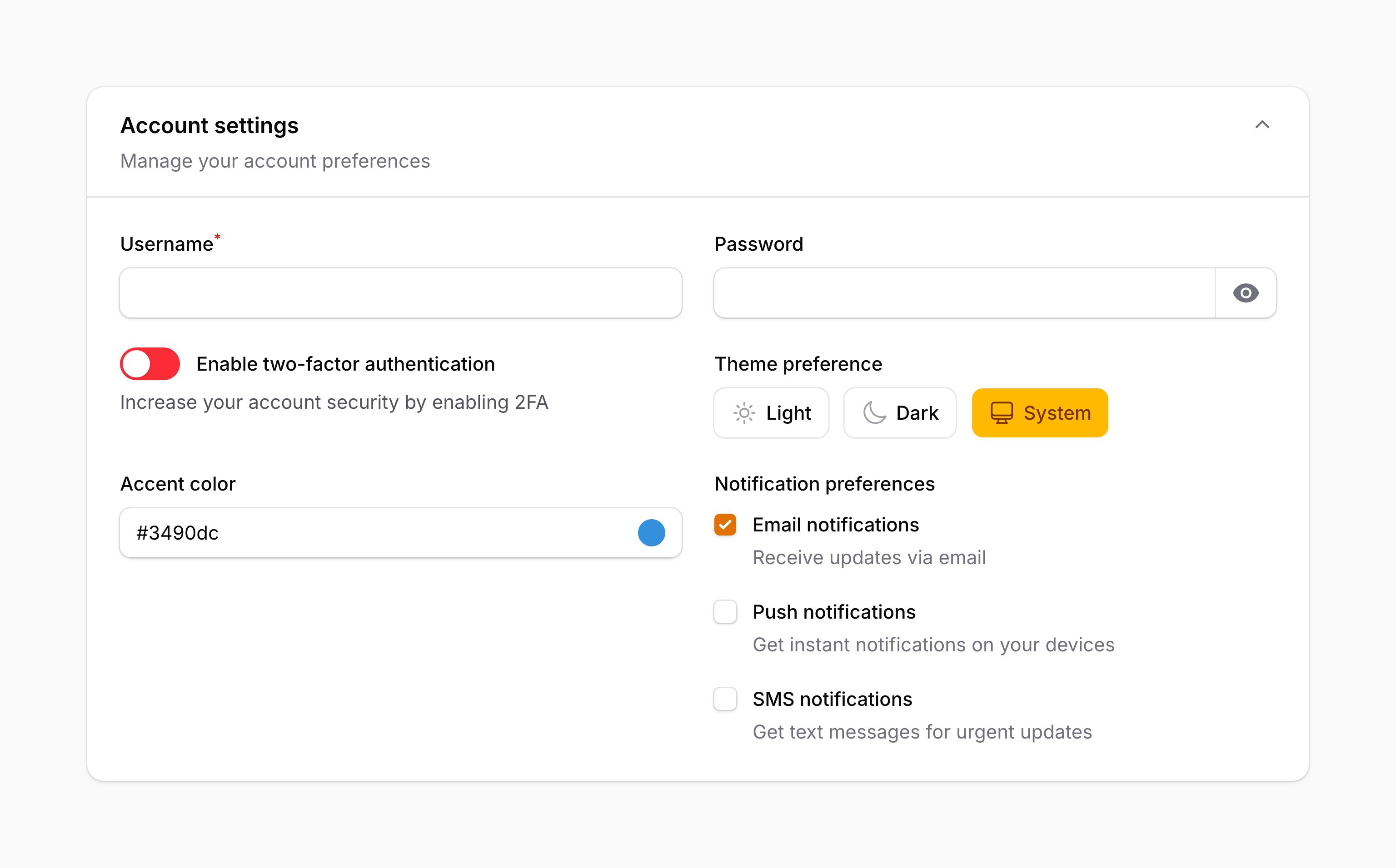
Filament 的表单包允许你在应用中轻松构建动态表单。它被其他 Filament 包用于在面板资源、操作模态框、表格过滤器等场景中渲染表单。学习如何构建表单是掌握这些 Filament 包的基础。
本指南将带你了解使用 Filament 表单包构建表单的基础知识。如果你打算在自己的 Livewire 组件中添加表单,应该先完成那一步,然后回到这里。如果你是在面板资源或其他 Filament 包中添加表单,可以直接开始!
表单字段
表单字段类位于 Filament\Form\Components 命名空间中,存放在 schema 组件数组中。Filament 提供了多种字段类型,适用于编辑不同类型的数据:
- 文本输入
- 选择器
- 复选框
- 开关
- 复选框列表
- 单选框
- 日期时间选择器
- 文件上传
- 富文本编辑器
- Markdown 编辑器
- 重复器
- 构建器
- 标签输入
- 文本域
- 键值对
- 颜色选择器
- 开关按钮
- 滑块
- 代码编辑器
- 隐藏字段
你也可以创建自定义字段来按需编辑数据。
字段可以通过静态 make() 方法创建,传入其唯一名称。通常,字段的名称对应 Eloquent 模型上的属性名:
use Filament\Forms\Components\TextInput;

TextInput::make('name')
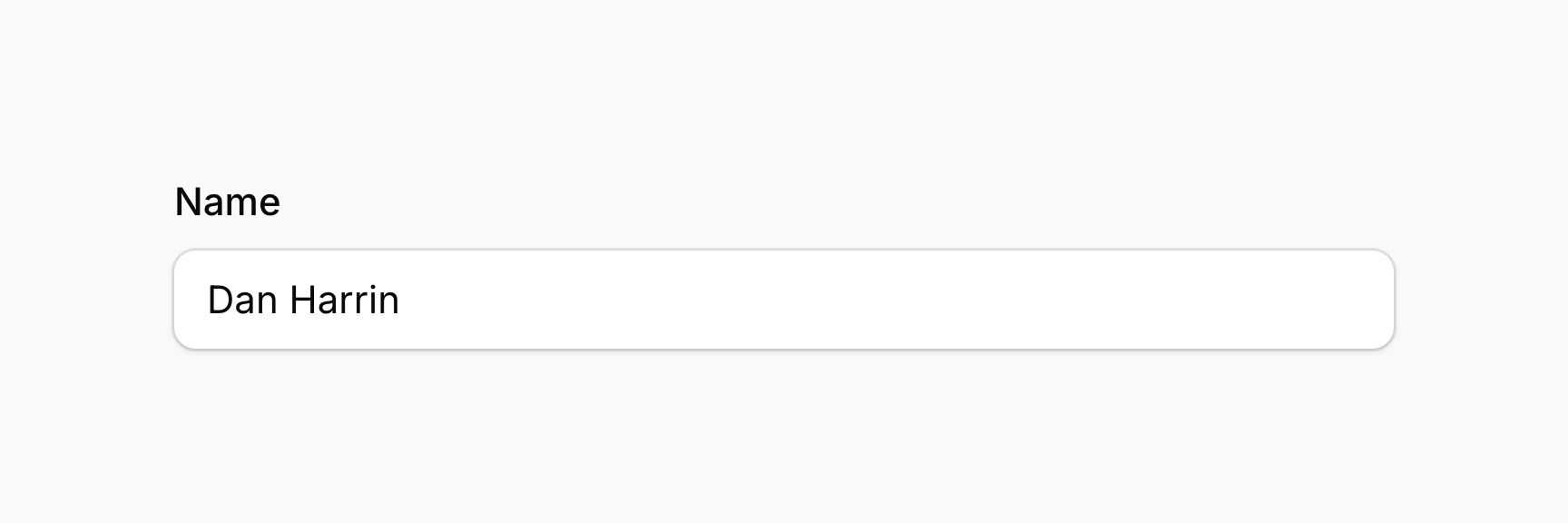
你可以使用"点表示法"将字段绑定到数组中的键:
use Filament\Forms\Components\TextInput;

TextInput::make('socials.github_url')
字段验证
在 Laravel 中,验证规则通常以数组形式定义,如 ['required', 'max:255'],或以组合字符串形式如 required|max:255。如果你只在后端处理简单的表单请求,这没问题。但 Filament 还能为你的用户提供前端验证,让他们在后端请求发起之前就能修正错误。
在 Filament 中,你可以通过 required() 和 maxLength() 等方法为字段添加验证规则。相比 Laravel 的验证语法,这种方式还有一个优势——你的 IDE 可以自动补全这些方法:
use Filament\Forms\Components\DateTimePicker;
use Filament\Forms\Components\RichEditor;
use Filament\Forms\Components\Select;
use Filament\Forms\Components\TextInput;
use Filament\Schemas\Components\Section;

TextInput::make('name')
    ->required()
    ->maxLength(255)
在这个示例中,字段设置了 required() 和 maxLength()。我们提供了大多数 Laravel 验证规则对应的方法,你甚至可以添加自定义规则。
设置字段标签
默认情况下,字段的标签会根据其名称自动确定。要覆盖字段的标签,可以使用 label() 方法:
use Filament\Forms\Components\TextInput;

TextInput::make('name')
    ->label('Full name')
label() 方法除了接受静态值外,还接受一个函数来动态计算标签。你可以将各种工具注入到函数参数中。
如果你希望使用本地化翻译字符串,这种方式很有用:
use Filament\Forms\Components\TextInput;

TextInput::make('name')
    ->label(__('fields.name'))
你也可以使用 JavaScript 表达式来确定标签内容,它可以读取表单中字段的当前值。
隐藏字段标签
你可能会想将标签设置为空字符串来隐藏它,但不推荐这样做。将标签设置为空字符串不会向屏幕阅读器传达字段的用途,即使视觉上用途是明确的。相反,你应该使用 hiddenLabel() 方法,这样它在视觉上是隐藏的,但对屏幕阅读器仍然可访问:
use Filament\Forms\Components\TextInput;

TextInput::make('name')
    ->hiddenLabel()
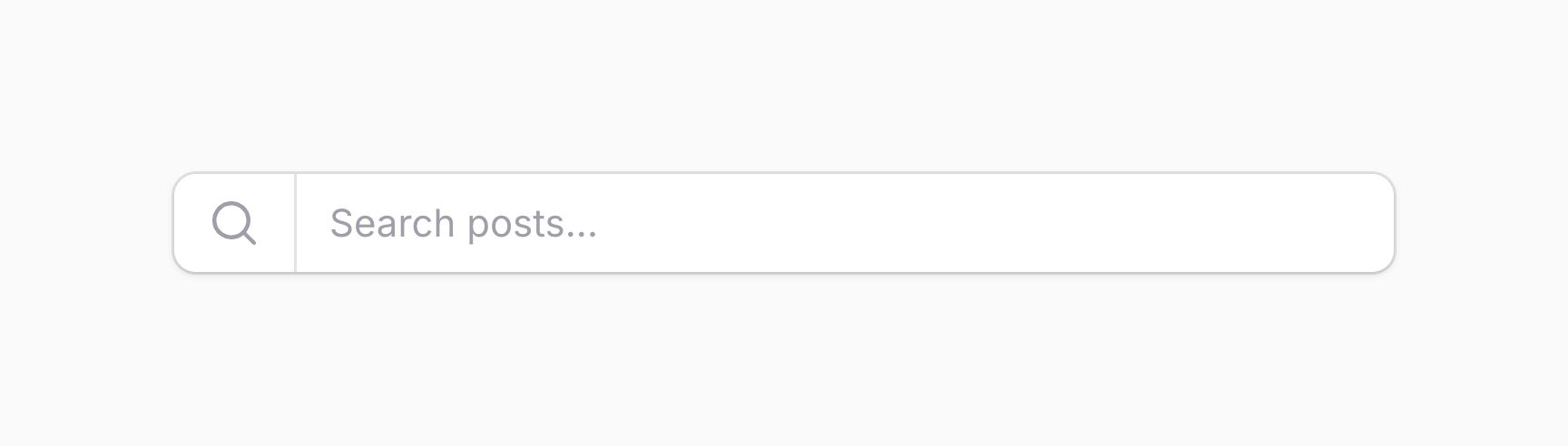
你也可以传递一个布尔值来控制是否隐藏标签:
use Filament\Forms\Components\TextInput;

TextInput::make('name')
    ->hiddenLabel(FeatureFlag::active())
hiddenLabel() 方法除了接受静态值外,还接受一个函数来动态计算。你可以将各种工具注入到函数参数中。
设置字段默认值
字段可以有默认值。默认值仅在 schema 加载时没有数据的情况下使用。在标准的面板资源中,默认值用于创建页面,而非编辑页面。要定义默认值,使用 default() 方法:
use Filament\Forms\Components\TextInput;

TextInput::make('name')
    ->default('John')
default() 方法除了接受静态值外,还接受一个函数来动态计算。你可以将各种工具注入到函数参数中。
禁用字段
你可以禁用字段以防止用户编辑:
use Filament\Forms\Components\TextInput;

TextInput::make('name')
    ->disabled()
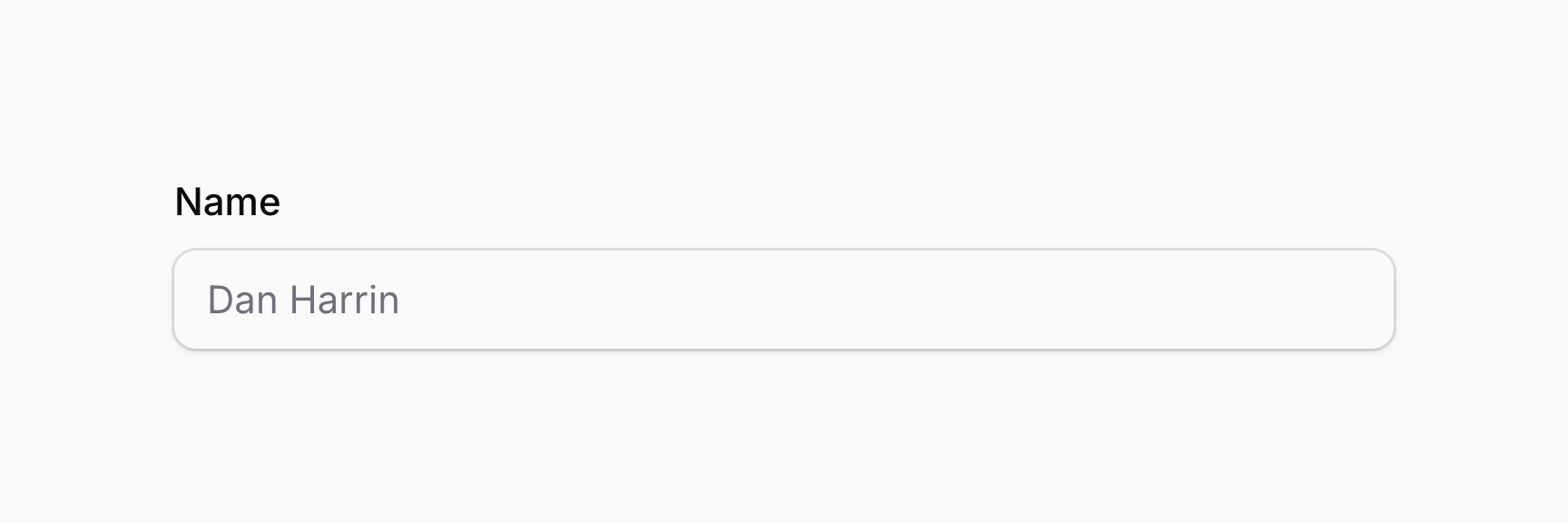
你也可以传递一个布尔值来控制是否禁用字段:
use Filament\Forms\Components\Toggle;

Toggle::make('is_admin')
    ->disabled(! FeatureFlag::active())
disabled() 方法除了接受静态值外,还接受一个函数来动态计算。你可以将各种工具注入到函数参数中。
禁用字段会阻止其被保存。如果你希望字段被保存但仍不可编辑,使用 saved() 方法:
use Filament\Forms\Components\Toggle;

Toggle::make('is_admin')
    ->disabled()
    ->saved()
如果你选择在禁用状态下保存字段,熟练的用户仍然可以通过操纵 Livewire 的 JavaScript 来编辑字段的值。
你也可以传递一个布尔值来控制是否保存字段:
use Filament\Forms\Components\Toggle;

Toggle::make('is_admin')
    ->disabled()
    ->saved(FeatureFlag::active())
saved() 方法除了接受静态值外,还接受一个函数来动态计算。你可以将各种工具注入到函数参数中。
根据当前操作禁用字段
Schema 的"操作"是指当前正在执行的操作。通常,如果你使用的是面板资源,操作是 create、edit 或 view。
你可以通过向 disabledOn() 方法传递操作来根据当前操作禁用字段:
use Filament\Forms\Components\Toggle;

Toggle::make('is_admin')
    ->disabledOn('edit')

// 等同于

Toggle::make('is_admin')
    ->disabled(fn (string $operation): bool => $operation === 'edit')
你也可以向 disabledOn() 方法传递一个操作数组,如果当前操作是数组中的任何一个,字段将被禁用:
use Filament\Forms\Components\Toggle;

Toggle::make('is_admin')
    ->disabledOn(['edit', 'view'])

// 等同于

Toggle::make('is_admin')
    ->disabled(fn (string $operation): bool => in_array($operation, ['edit', 'view']))
disabledOn() 方法会覆盖之前对 disabled() 方法的调用,反之亦然。
隐藏字段
你可以隐藏字段:
use Filament\Forms\Components\TextInput;

TextInput::make('name')
    ->hidden()
你也可以传递一个布尔值来控制是否隐藏字段:
use Filament\Forms\Components\TextInput;

TextInput::make('name')
    ->hidden(! FeatureFlag::active())
hidden() 方法除了接受静态值外,还接受一个函数来动态计算。你可以将各种工具注入到函数参数中。
或者,你可以使用 visible() 方法来控制是否隐藏字段。在某些情况下,这可能有助于提高代码可读性:
use Filament\Forms\Components\TextInput;

TextInput::make('name')
    ->visible(FeatureFlag::active())
visible() 方法除了接受静态值外,还接受一个函数来动态计算。你可以将各种工具注入到函数参数中。
如果同时使用 hidden() 和 visible(),两者都需要表示字段应该可见,字段才会显示。
使用 JavaScript 隐藏字段
如果你需要根据用户交互来隐藏字段,可以使用 hidden() 或 visible() 方法,传入一个使用注入工具来决定是否隐藏字段的函数:
use Filament\Forms\Components\Select;
use Filament\Forms\Components\Toggle;

Select::make('role')
    ->options([
        'user' => 'User',
        'staff' => 'Staff',
    ])
    ->live()

Toggle::make('is_admin')
    ->hidden(fn (Get $get): bool => $get('role') !== 'staff')
在这个示例中,role 字段设置了 live(),这意味着每次 role 字段改变时 schema 都会重新加载。这会导致传给 hidden() 方法的函数被重新评估,如果 role 字段不是 staff,is_admin 字段就会被隐藏。
然而,每次字段改变时重新加载 schema 都会产生网络请求,因为无法在客户端重新运行 PHP 函数。这对性能不理想。
或者,你可以编写 JavaScript 来根据另一个字段的值隐藏字段。通过向 hiddenJs() 方法传递 JavaScript 表达式来实现:
use Filament\Forms\Components\Select;
use Filament\Forms\Components\Toggle;

Select::make('role')
    ->options([
        'user' => 'User',
        'staff' => 'Staff',
    ])

Toggle::make('is_admin')
    ->hiddenJs(<<<'JS'
        $get('role') !== 'staff'
        JS)
虽然传给 hiddenJs() 的代码看起来与 PHP 非常相似,但它实际上是 JavaScript。Filament 在 JavaScript 中提供了 $get() 工具函数,其行为与 PHP 版本非常相似,但不需要依赖的字段设置为 live()。
传给 hiddenJs() 方法的任何 JavaScript 字符串都将在浏览器中执行,因此你不应该直接将用户输入添加到字符串中,因为这可能导致跨站脚本(XSS)漏洞。来自 $state 或 $get() 的用户输入不应作为 JavaScript 代码执行,但作为字符串值使用是安全的,如上面的示例所示。
visibleJs() 方法也可用,它与 hiddenJs() 工作方式相同,但控制字段是否应该可见:
use Filament\Forms\Components\Select;
use Filament\Forms\Components\Toggle;

Select::make('role')
    ->options([
        'user' => 'User',
        'staff' => 'Staff',
    ])

Toggle::make('is_admin')
    ->visibleJs(<<<'JS'
        $get('role') === 'staff'
        JS)
传给 visibleJs() 方法的任何 JavaScript 字符串都将在浏览器中执行,因此你不应该直接将用户输入添加到字符串中,因为这可能导致跨站脚本(XSS)漏洞。来自 $state 或 $get() 的用户输入不应作为 JavaScript 代码执行,但作为字符串值使用是安全的,如上面的示例所示。
如果同时使用 hiddenJs() 和 visibleJs(),两者都需要表示字段应该可见,字段才会显示。
根据当前操作隐藏字段
Schema 的"操作"是指当前正在执行的操作。通常,如果你使用的是面板资源,操作是 create、edit 或 view。
你可以通过向 hiddenOn() 方法传递操作来根据当前操作隐藏字段:
use Filament\Forms\Components\Toggle;

Toggle::make('is_admin')
    ->hiddenOn('edit')

// 等同于

Toggle::make('is_admin')
    ->hidden(fn (string $operation): bool => $operation === 'edit')
你也可以向 hiddenOn() 方法传递一个操作数组,如果当前操作是数组中的任何一个,字段将被隐藏:
use Filament\Forms\Components\Toggle;

Toggle::make('is_admin')
    ->hiddenOn(['edit', 'view'])

// 等同于

Toggle::make('is_admin')
    ->hidden(fn (string $operation): bool => in_array($operation, ['edit', 'view']))
hiddenOn() 方法会覆盖之前对 hidden() 方法的调用,反之亦然。
或者,你可以使用 visibleOn() 方法来控制是否隐藏字段。在某些情况下,这可能有助于提高代码可读性:
use Filament\Forms\Components\Toggle;

Toggle::make('is_admin')
    ->visibleOn('create')

Toggle::make('is_admin')
    ->visibleOn(['create', 'edit'])
visibleOn() 方法会覆盖之前对 visible() 方法的调用,反之亦然。
内联标签
字段的标签可以显示在字段旁边,而不是上方。这对于有很多字段的表单很有用,可以节省垂直空间。要将字段标签显示为内联,使用 inlineLabel() 方法:
use Filament\Forms\Components\TextInput;

TextInput::make('name')
    ->inlineLabel()
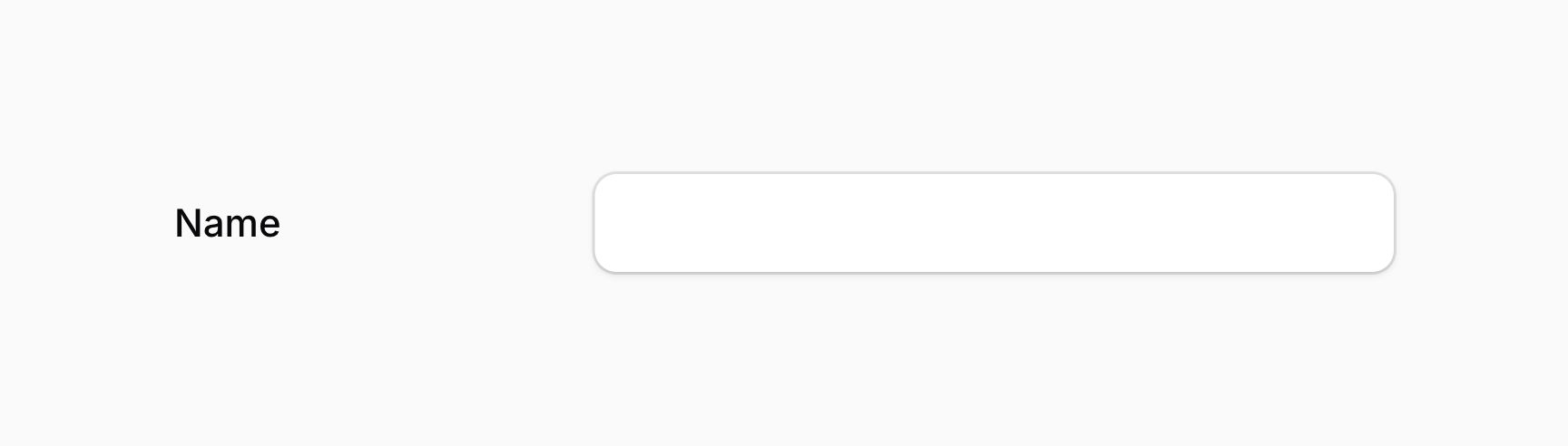
你也可以传递一个布尔值来控制标签是否显示为内联:
use Filament\Forms\Components\TextInput;

TextInput::make('name')
    ->inlineLabel(FeatureFlag::active())
inlineLabel() 方法除了接受静态值外,还接受一个函数来动态计算。你可以将各种工具注入到函数参数中。
在多个位置同时使用内联标签
如果你希望在布局组件(如 Section 或 Tab)中将所有标签显示为内联,可以在该组件上使用 inlineLabel(),其中所有字段的标签都会显示为内联:
use Filament\Forms\Components\TextInput;
use Filament\Schemas\Components\Section;

Section::make('Details')
    ->inlineLabel()
    ->schema([
        TextInput::make('name'),
        TextInput::make('email')
            ->label('Email address'),
        TextInput::make('phone')
            ->label('Phone number'),
    ])
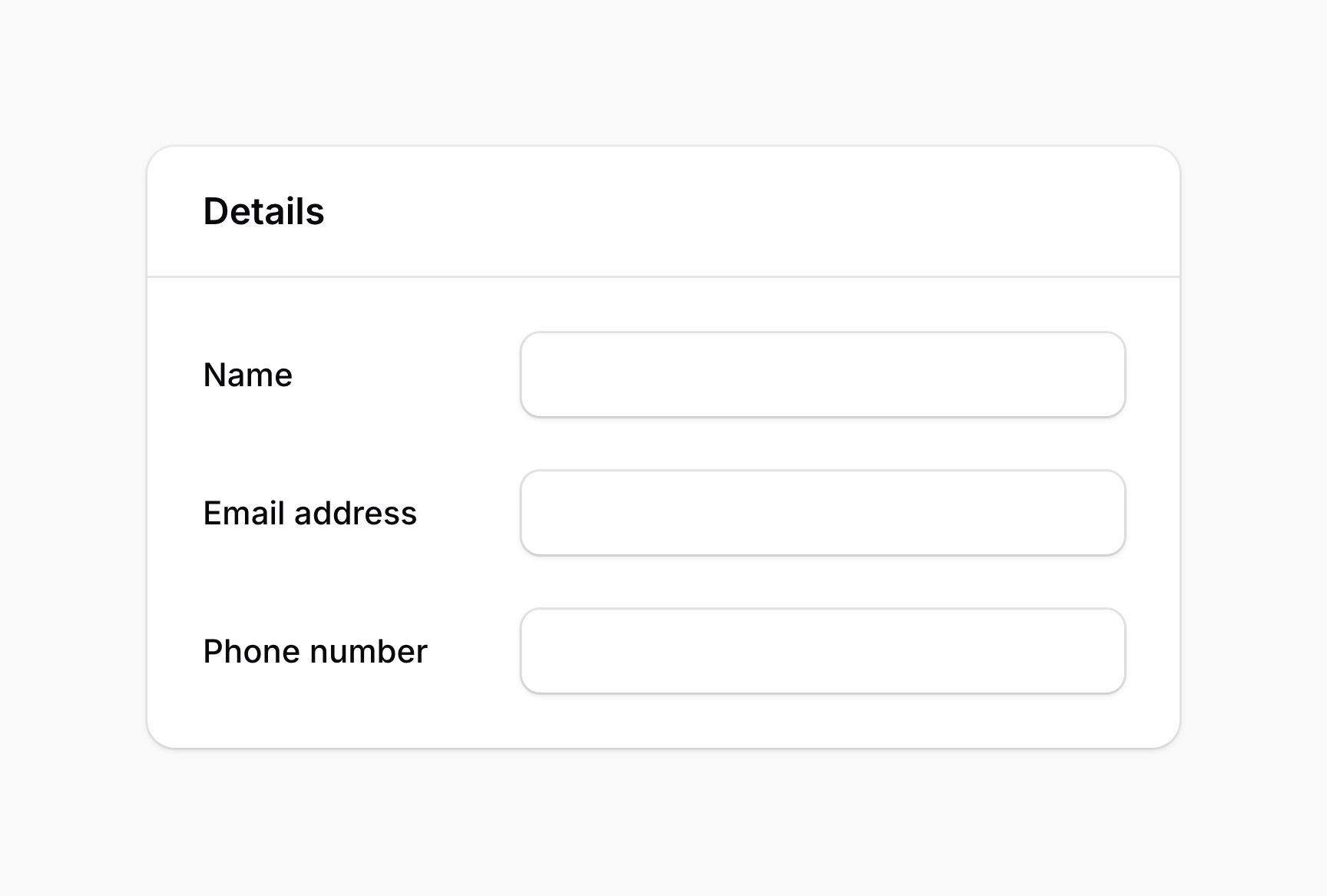
你也可以在整个 schema 上使用 inlineLabel() 来将所有标签显示为内联:
use Filament\Schemas\Schema;

public function form(Schema $schema): Schema
{
    return $schema
        ->inlineLabel()
        ->components([
            // ...
        ]);
}
在布局组件或 schema 上使用 inlineLabel() 时,你仍然可以通过在字段上使用 inlineLabel(false) 方法来选择退出内联标签:
use Filament\Forms\Components\TextInput;
use Filament\Schemas\Components\Section;

Section::make('Details')
    ->inlineLabel()
    ->schema([
        TextInput::make('name'),
        TextInput::make('email')
            ->label('Email address'),
        TextInput::make('phone')
            ->label('Phone number')
            ->inlineLabel(false),
    ])
Schema 加载时自动聚焦字段
大多数字段支持自动聚焦。通常,你应该让 schema 中第一个重要字段自动聚焦,以获得最佳用户体验。你可以使用 autofocus() 方法指定字段自动聚焦:
use Filament\Forms\Components\TextInput;

TextInput::make('name')
    ->autofocus()
你也可以传递一个布尔值来控制字段是否自动聚焦:
use Filament\Forms\Components\TextInput;

TextInput::make('name')
    ->autofocus(FeatureFlag::active())
autofocus() 方法除了接受静态值外,还接受一个函数来动态计算。你可以将各种工具注入到函数参数中。
设置字段占位符
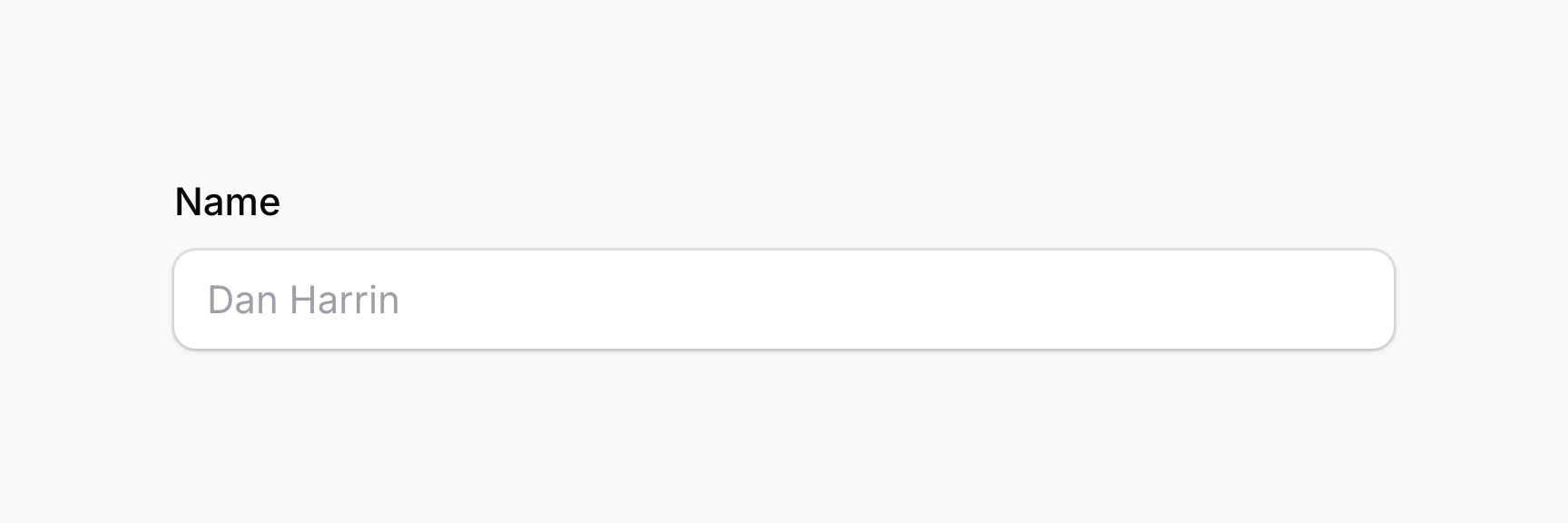
许多字段可以在没有值时显示占位符。占位符显示在 UI 中,但表单提交时永远不会保存。你可以使用 placeholder() 方法自定义占位符:
use Filament\Forms\Components\TextInput;

TextInput::make('name')
    ->placeholder('John Doe')
placeholder() 方法除了接受静态值外,还接受一个函数来动态计算。你可以将各种工具注入到函数参数中。
将字段融合为组
FusedGroup 组件可以将多个字段"融合"在一起。以下字段最适合融合:
要融合的字段传递给 FusedGroup 组件的 make() 方法:
use Filament\Forms\Components\Select;
use Filament\Forms\Components\TextInput;
use Filament\Schemas\Components\FusedGroup;

FusedGroup::make([
    TextInput::make('city')
        ->placeholder('City'),
    Select::make('country')
        ->placeholder('Country')
        ->options([
            // ...
        ]),
])
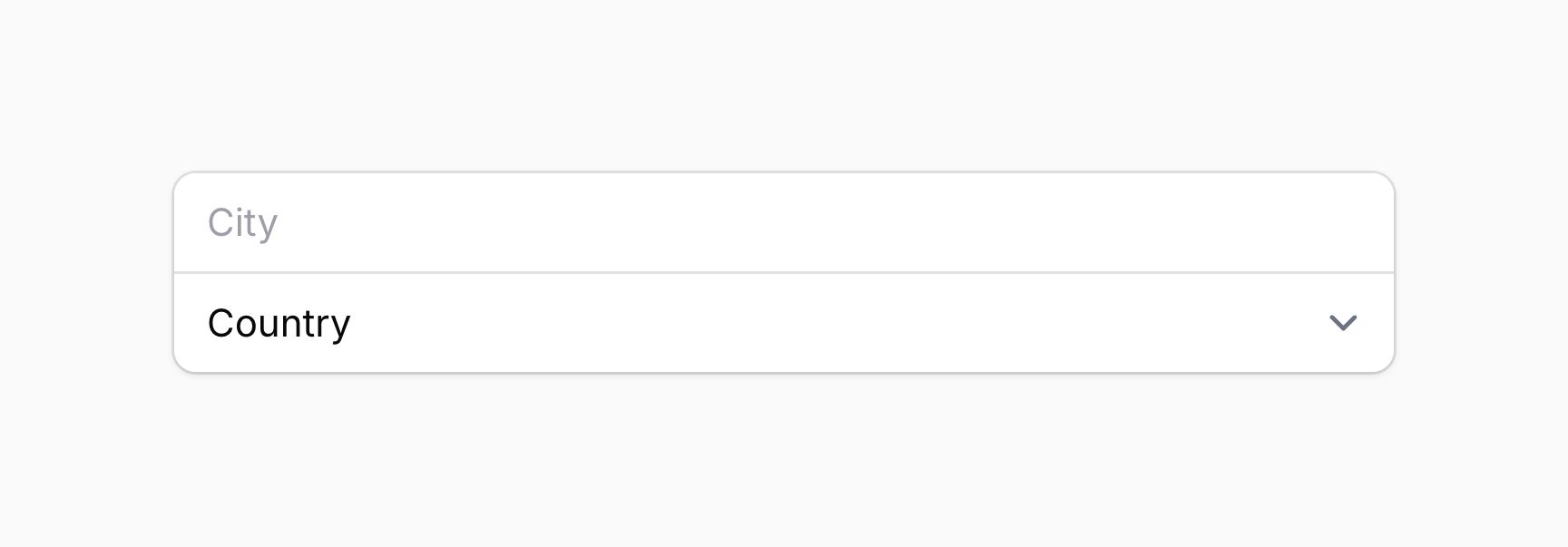
你可以使用 label() 方法在字段组上方添加标签:
use Filament\Schemas\Components\FusedGroup;

FusedGroup::make([
    // ...
])
    ->label('Location')
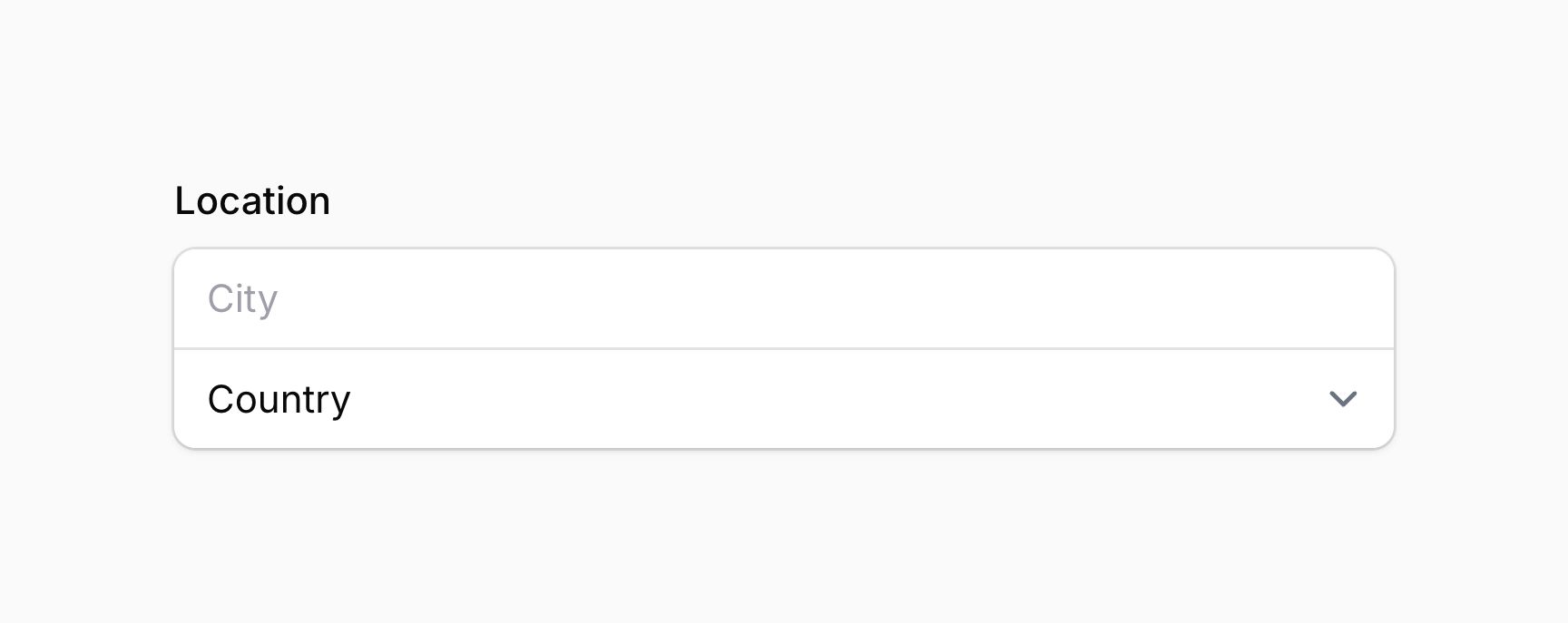
默认情况下,每个字段都有自己的行。在移动设备上,这通常是最优体验,但在桌面端你可以使用 columns() 方法(与布局组件相同)来水平显示字段:
use Filament\Schemas\Components\FusedGroup;

FusedGroup::make([
    // ...
])
    ->label('Location')
    ->columns(2)
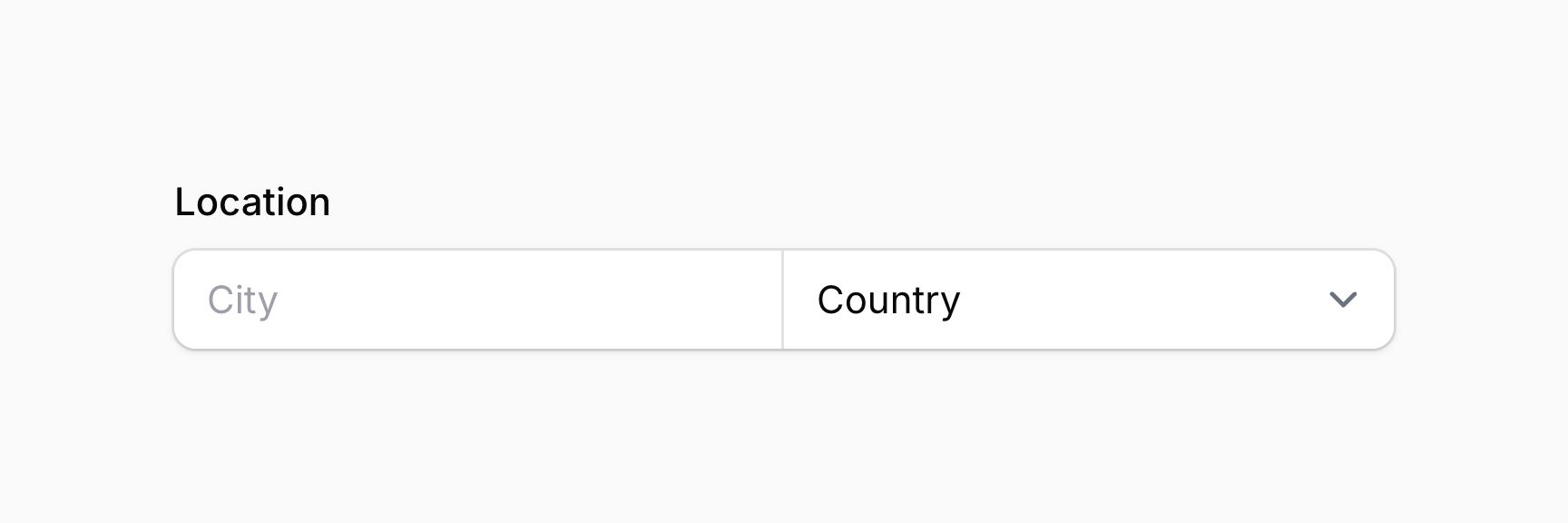
你可以通过向每个字段传递 columnSpan() 来调整字段在网格中的宽度:
use Filament\Forms\Components\Select;
use Filament\Forms\Components\TextInput;
use Filament\Schemas\Components\FusedGroup;

FusedGroup::make([
    TextInput::make('city')
        ->placeholder('City')
        ->columnSpan(2),
    Select::make('country')
        ->placeholder('Country')
        ->options([
            // ...
        ]),
])
    ->label('Location')
    ->columns(3)
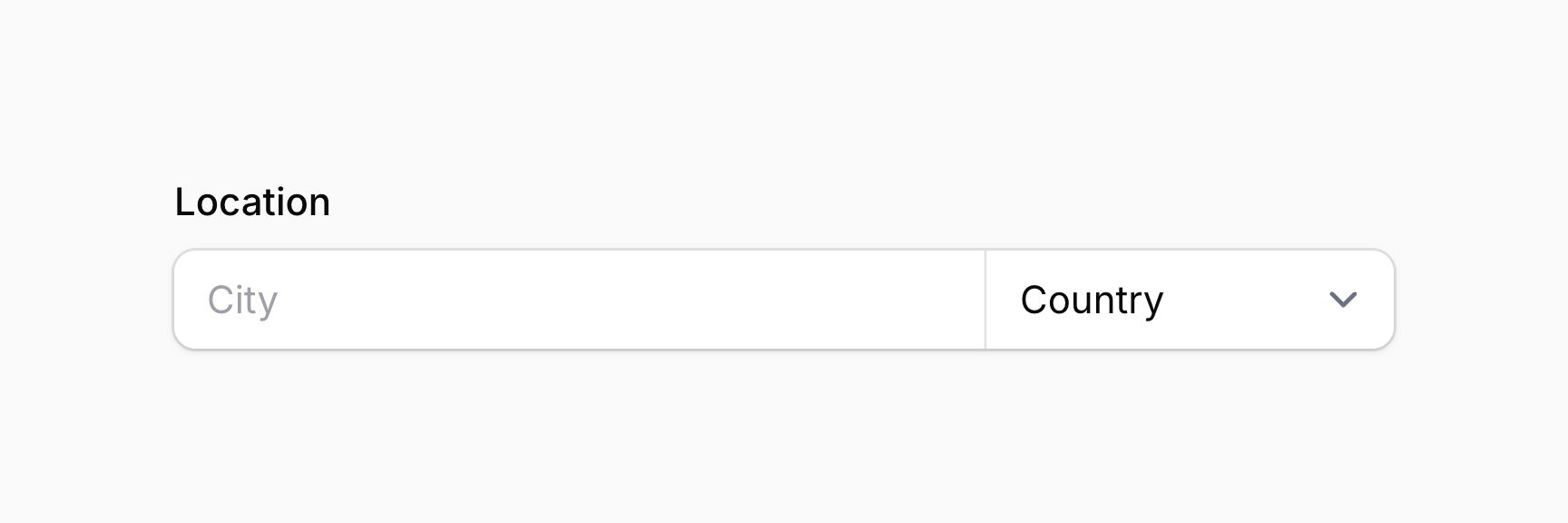
为字段添加额外内容
字段包含许多"插槽",可以在子 schema 中插入内容。插槽可以接受文本、任意 schema 组件、操作和操作组。通常,prime 组件用于内容。
以下插槽对所有字段可用:
aboveLabel()beforeLabel()afterLabel()belowLabel()aboveContent()beforeContent()afterContent()belowContent()aboveErrorMessage()belowErrorMessage()
插槽方法除了接受静态值外,还接受函数来动态计算。你可以将各种工具注入到函数参数中。
要插入纯文本,可以向这些方法传递字符串:
use Filament\Forms\Components\TextInput;

TextInput::make('name')
    ->belowContent('This is the user\'s full name.')
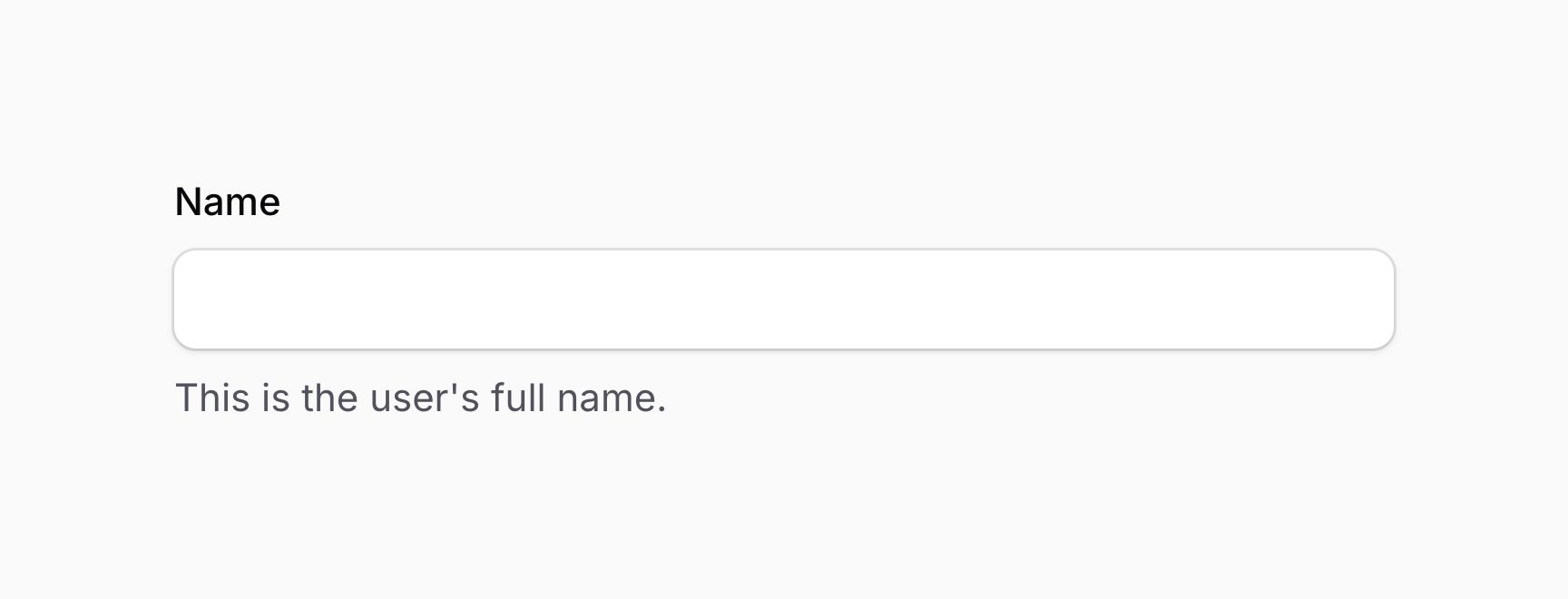
要插入 schema 组件(通常是 prime 组件),可以将组件传递给方法:
use Filament\Forms\Components\TextInput;
use Filament\Schemas\Components\Text;
use Filament\Support\Enums\FontWeight;

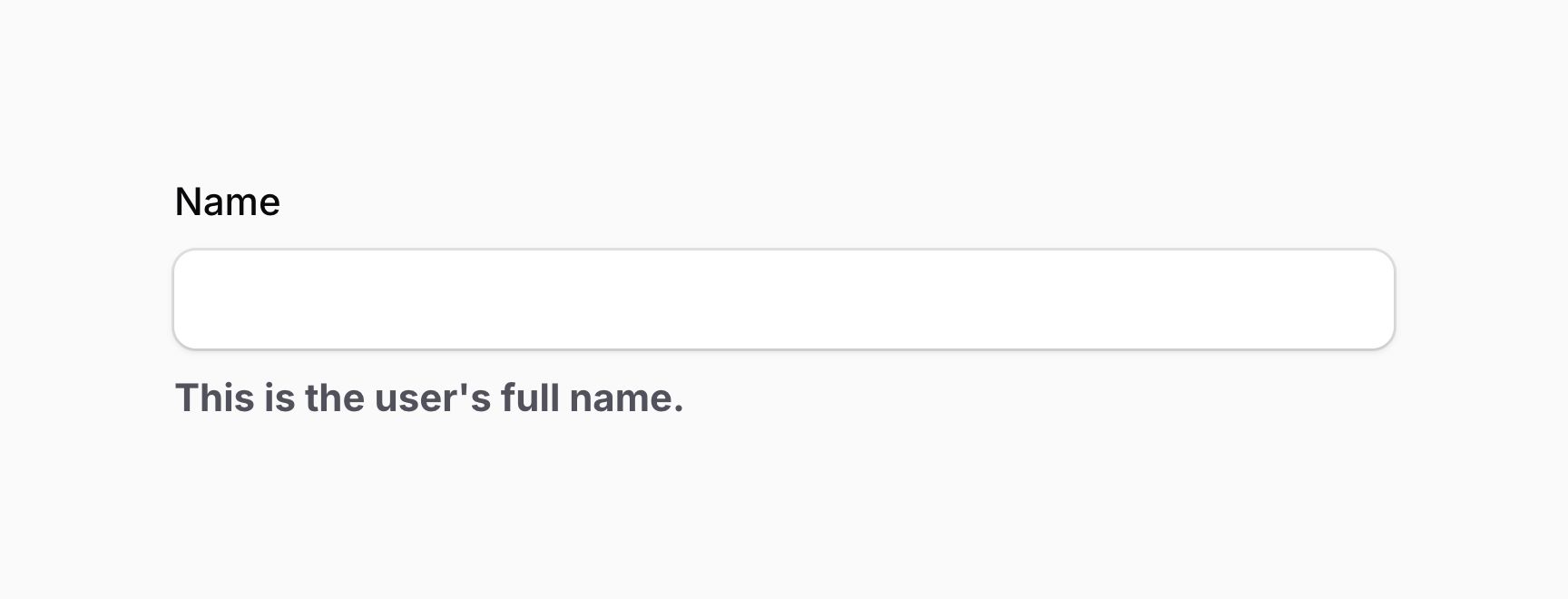
TextInput::make('name')
    ->belowContent(Text::make('This is the user\'s full name.')->weight(FontWeight::Bold))
use Filament\Actions\Action;
use Filament\Forms\Components\TextInput;

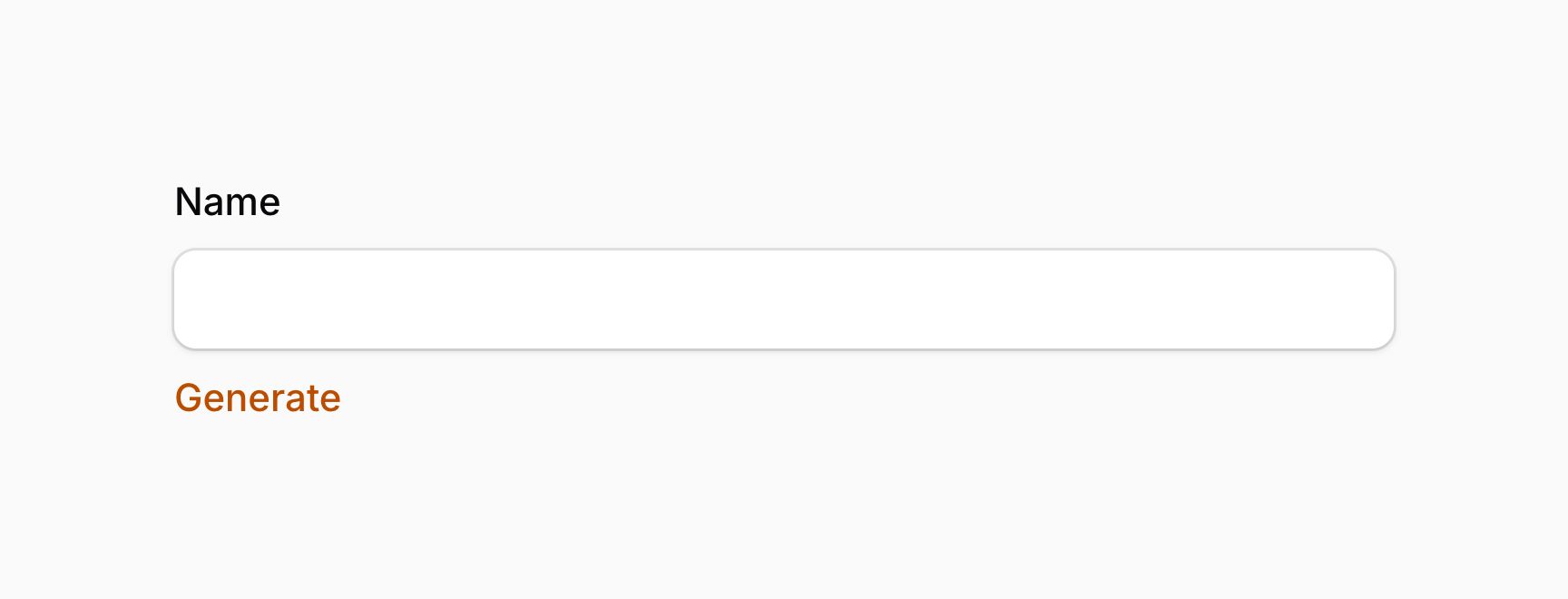
TextInput::make('name')
    ->belowContent(Action::make('generate'))
如果你需要一个运行 JavaScript 而不发起网络请求的简单操作,可以使用 actionJs() 方法。这对于使用 $get() 和 $set() 更新表单字段值等简单交互很有用。使用 actionJs() 的操作不能打开模态框。
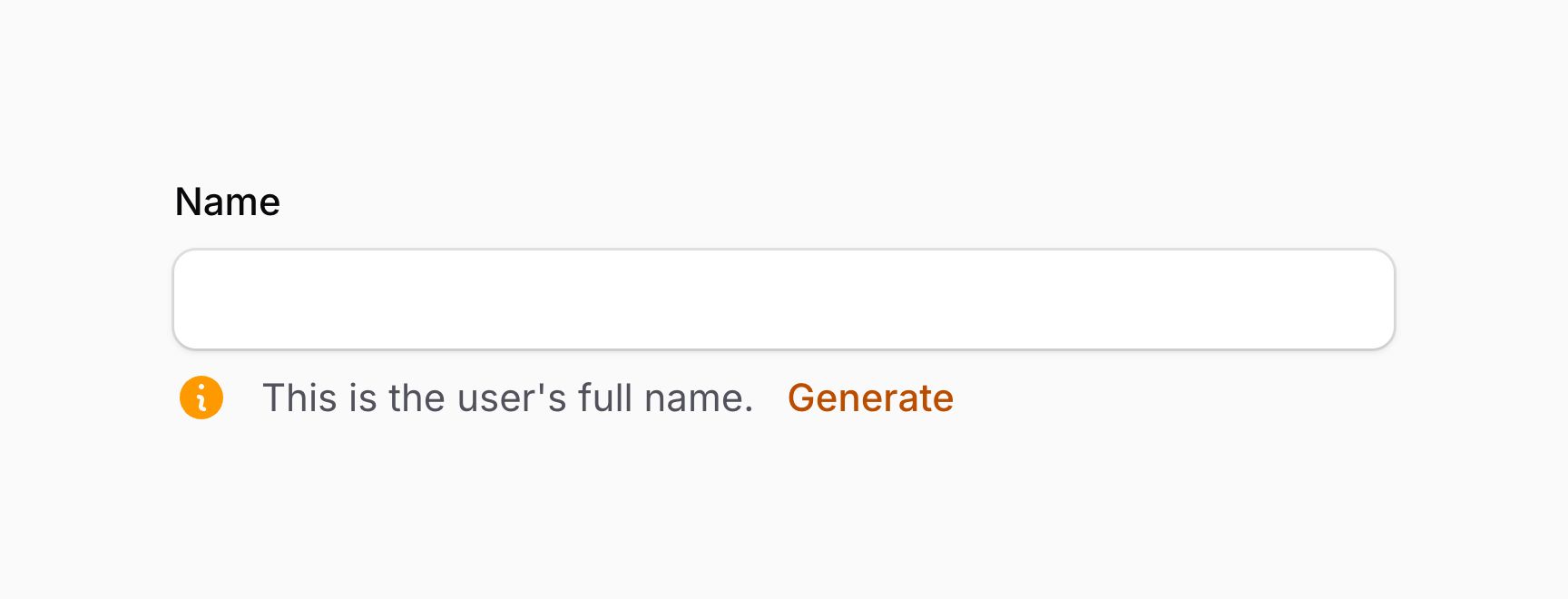
你可以通过向方法传递内容数组来在插槽中插入任意组合的内容:
use Filament\Actions\Action;
use Filament\Forms\Components\TextInput;
use Filament\Schemas\Components\Icon;
use Filament\Support\Icons\Heroicon;

TextInput::make('name')
    ->belowContent([
        Icon::make(Heroicon::InformationCircle),
        'This is the user\'s full name.',
        Action::make('generate'),
    ])
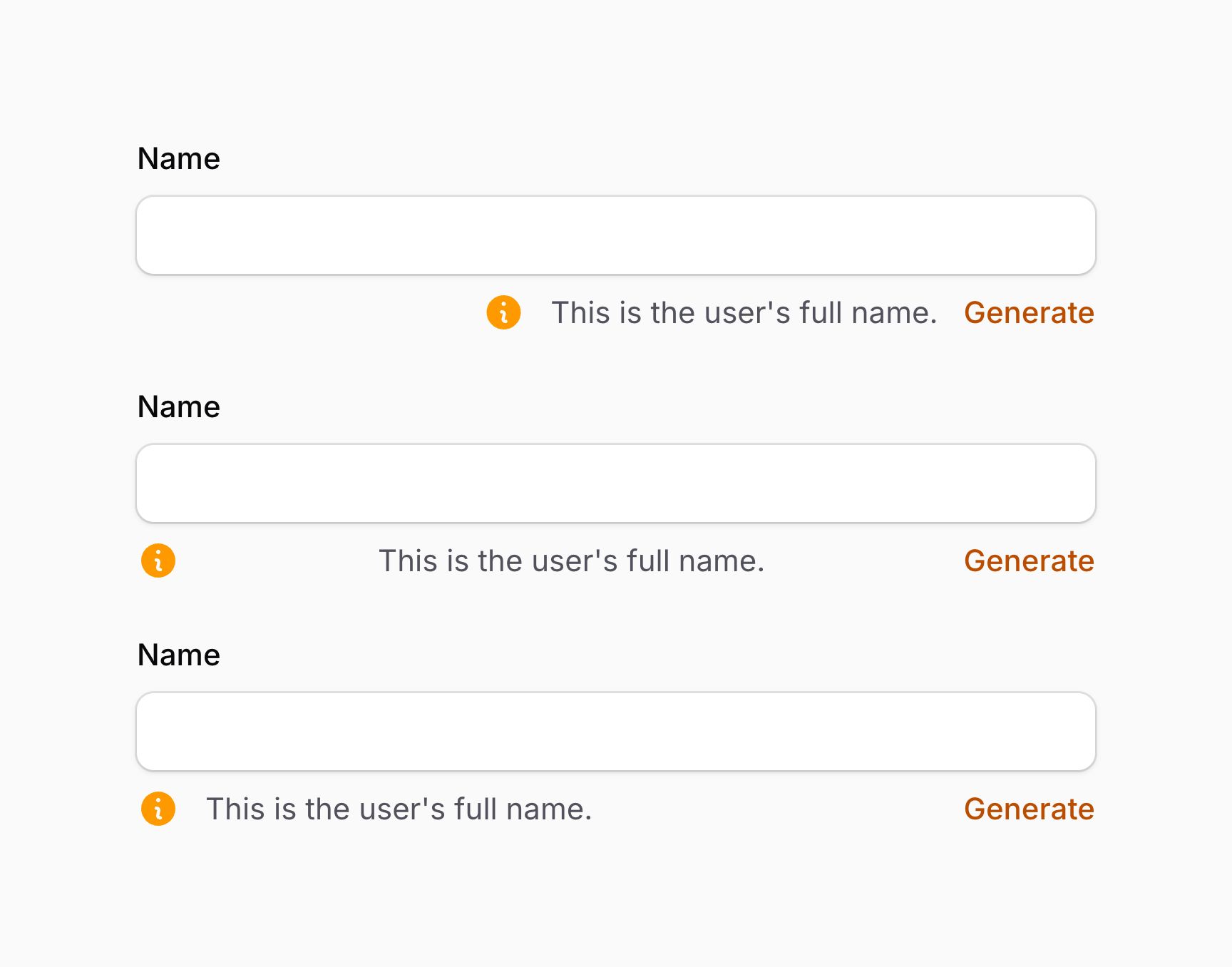
你也可以通过将内容数组传递给 Schema::start()(默认)、Schema::end() 或 Schema::between() 来对齐插槽中的内容:
use Filament\Actions\Action;
use Filament\Forms\Components\TextInput;
use Filament\Schemas\Components\Flex;
use Filament\Schemas\Components\Icon;
use Filament\Schemas\Schema;
use Filament\Support\Icons\Heroicon;

TextInput::make('name')
    ->belowContent(Schema::end([
        Icon::make(Heroicon::InformationCircle),
        'This is the user\'s full name.',
        Action::make('generate'),
    ]))

TextInput::make('name')
    ->belowContent(Schema::between([
        Icon::make(Heroicon::InformationCircle),
        'This is the user\'s full name.',
        Action::make('generate'),
    ]))

TextInput::make('name')
    ->belowContent(Schema::between([
        Flex::make([
            Icon::make(Heroicon::InformationCircle)
                ->grow(false),
            'This is the user\'s full name.',
        ]),
        Action::make('generate'),
    ]))
如上面 Schema::between() 的示例所示,Flex 组件用于将图标和文本组合在一起,使它们之间没有空隙。图标使用 grow(false) 来防止它占据一半的水平空间,让文本占据剩余空间。
在字段标签上方添加额外内容
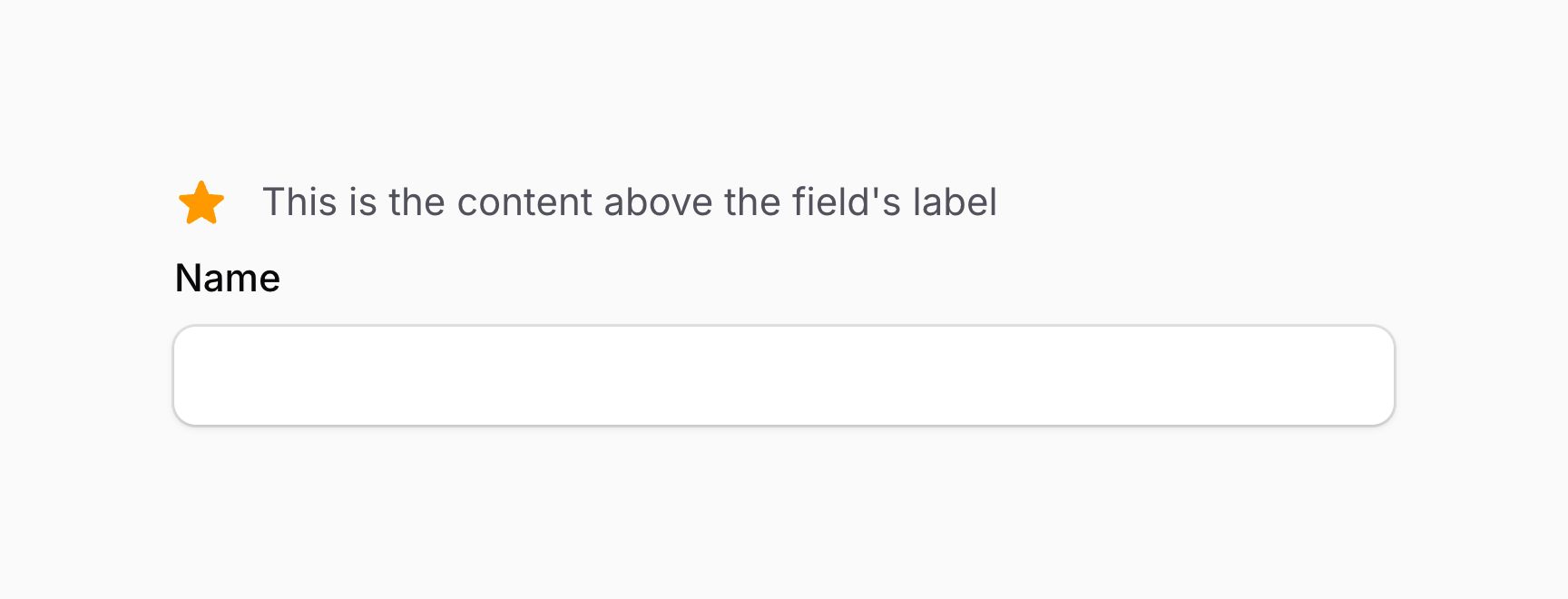
你可以使用 aboveLabel() 方法在字段标签上方插入额外内容。你可以向此方法传递任何内容,如文本、schema 组件、操作或操作组:
use Filament\Forms\Components\TextInput;
use Filament\Schemas\Components\Icon;
use Filament\Support\Icons\Heroicon;

TextInput::make('name')
    ->aboveLabel([
        Icon::make(Heroicon::Star),
        'This is the content above the field\'s label'
    ])
aboveLabel() 方法除了接受静态值外,还接受一个函数来动态计算。你可以将各种工具注入到函数参数中。
在字段标签前方添加额外内容
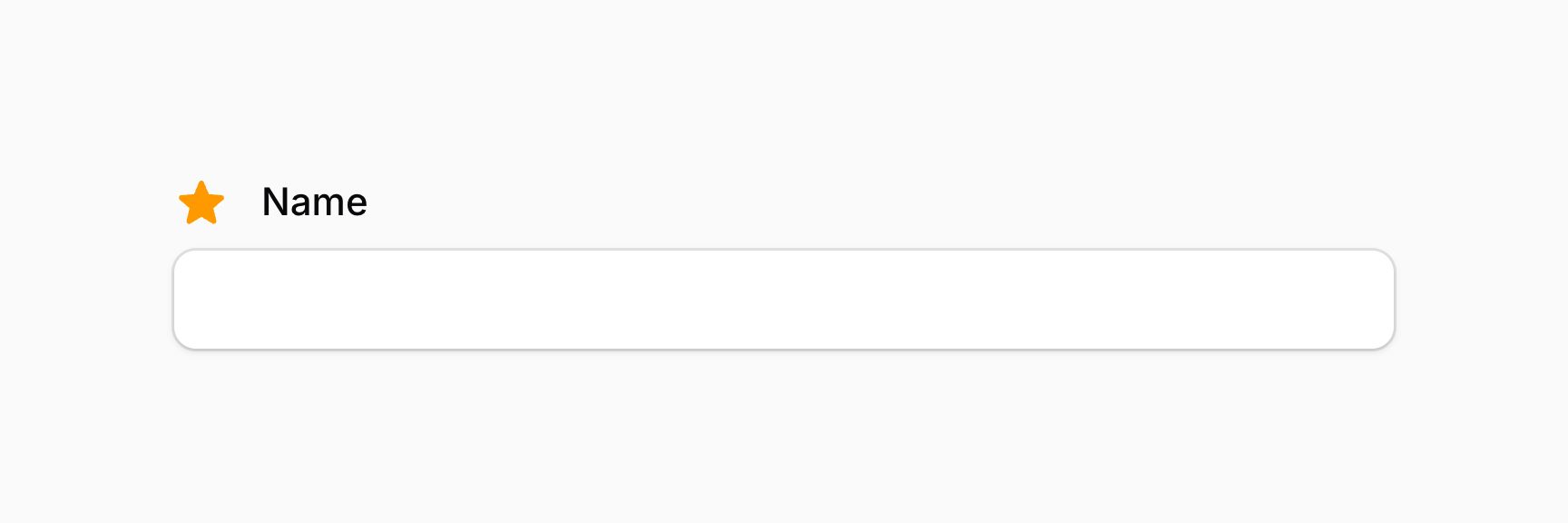
你可以使用 beforeLabel() 方法在字段标签前方插入额外内容。你可以向此方法传递任何内容,如文本、schema 组件、操作或操作组:
use Filament\Forms\Components\TextInput;
use Filament\Schemas\Components\Icon;
use Filament\Support\Icons\Heroicon;

TextInput::make('name')
    ->beforeLabel(Icon::make(Heroicon::Star))
beforeLabel() 方法除了接受静态值外,还接受一个函数来动态计算。你可以将各种工具注入到函数参数中。
在字段标签后方添加额外内容
你可以使用 afterLabel() 方法在字段标签后方插入额外内容。你可以向此方法传递任何内容,如文本、schema 组件、操作或操作组:
use Filament\Forms\Components\TextInput;
use Filament\Schemas\Components\Icon;
use Filament\Support\Icons\Heroicon;

TextInput::make('name')
    ->afterLabel([
        Icon::make(Heroicon::Star),
        'This is the content after the field\'s label'
    ])
afterLabel() 方法除了接受静态值外,还接受一个函数来动态计算。你可以将各种工具注入到函数参数中。
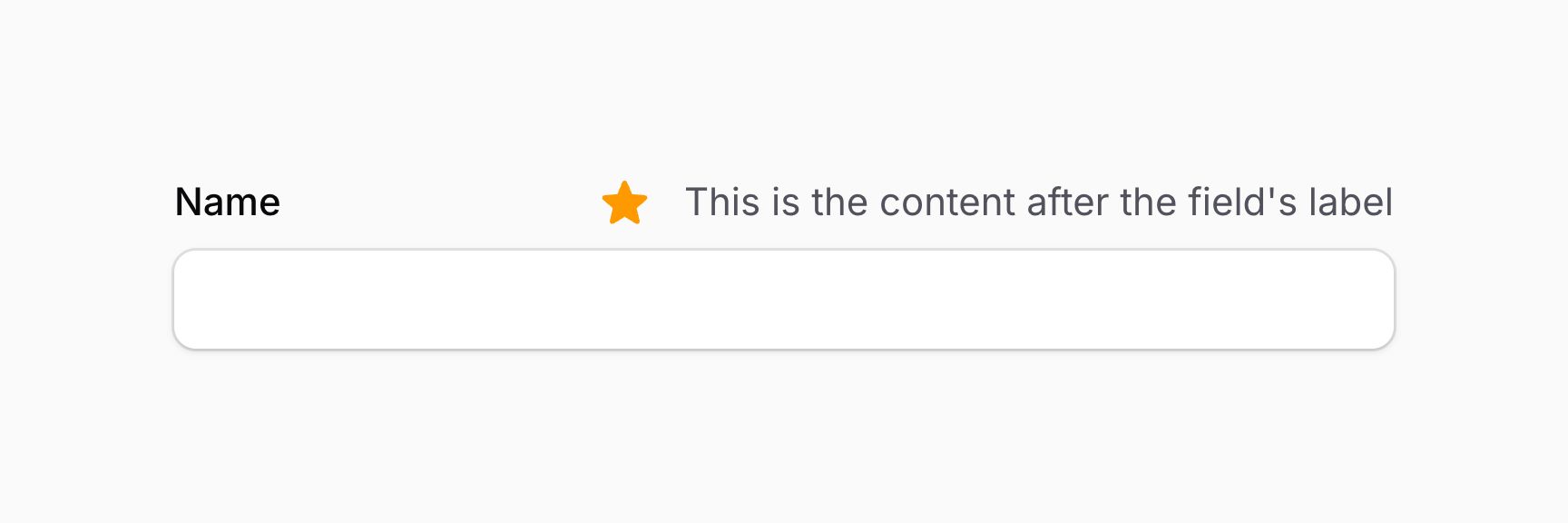
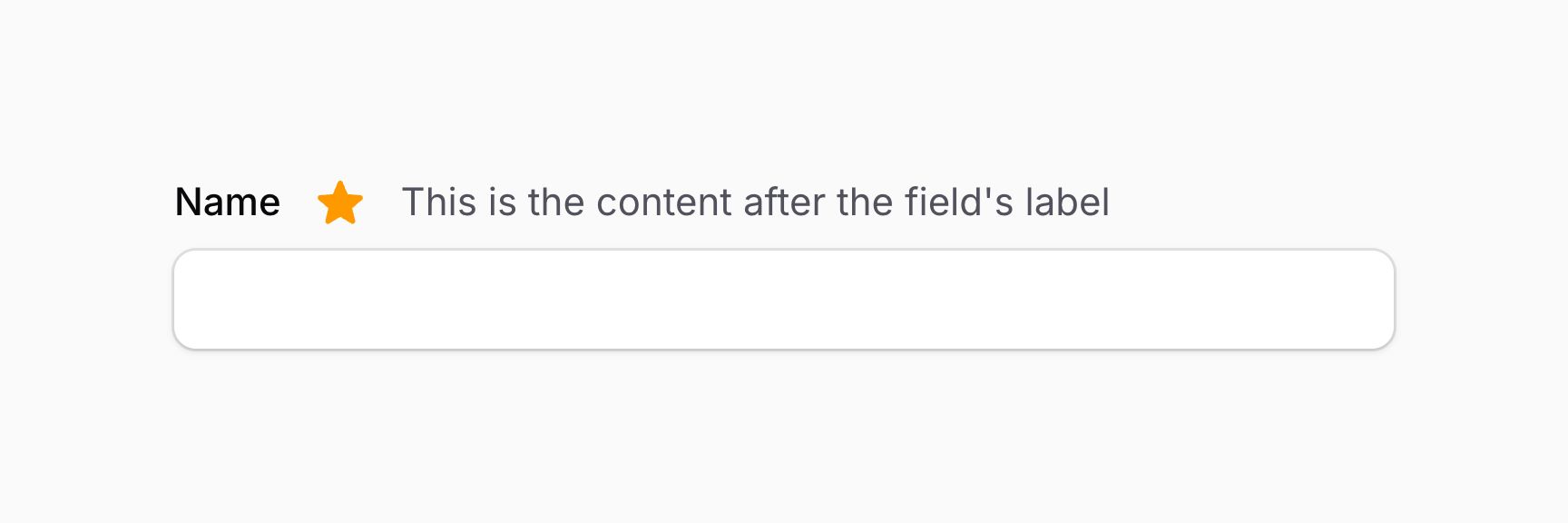
默认情况下,afterLabel() schema 中的内容对齐到容器末尾。如果你希望将其对齐到容器开头,应该传递一个包含内容的 Schema::start() 对象:
use Filament\Forms\Components\TextInput;
use Filament\Schemas\Components\Icon;
use Filament\Schemas\Schema;
use Filament\Support\Icons\Heroicon;

TextInput::make('name')
    ->afterLabel(Schema::start([
        Icon::make(Heroicon::Star),
        'This is the content after the field\'s label'
    ]))
afterLabel() 方法除了接受静态值外,还接受一个函数来动态计算。你可以将各种工具注入到函数参数中。
在字段标签下方添加额外内容
你可以使用 belowLabel() 方法在字段标签下方插入额外内容。你可以向此方法传递任何内容,如文本、schema 组件、操作或操作组:
use Filament\Forms\Components\TextInput;
use Filament\Schemas\Components\Icon;
use Filament\Support\Icons\Heroicon;

TextInput::make('name')
    ->belowLabel([
        Icon::make(Heroicon::Star),
        'This is the content below the field\'s label'
    ])
belowLabel() 方法除了接受静态值外,还接受一个函数来动态计算。你可以将各种工具注入到函数参数中。
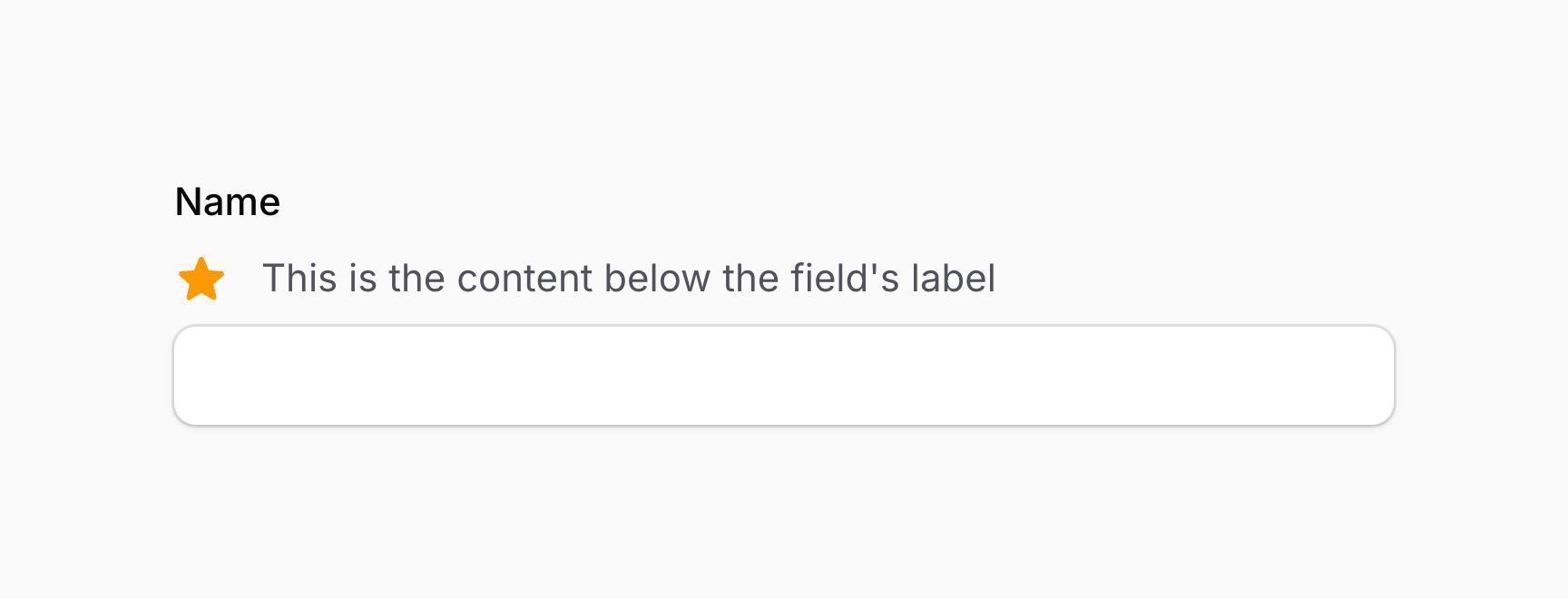
这看起来与 aboveContent() 方法相同。然而,当使用内联标签时,aboveContent() 方法会将内容放在字段上方,而不是标签下方,因为标签显示在字段内容的单独列中。
在字段内容上方添加额外内容
你可以使用 aboveContent() 方法在字段内容上方插入额外内容。你可以向此方法传递任何内容,如文本、schema 组件、操作或操作组:
use Filament\Forms\Components\TextInput;
use Filament\Schemas\Components\Icon;
use Filament\Support\Icons\Heroicon;

TextInput::make('name')
    ->aboveContent([
        Icon::make(Heroicon::Star),
        'This is the content above the field\'s content'
    ])
aboveContent() 方法除了接受静态值外,还接受一个函数来动态计算。你可以将各种工具注入到函数参数中。
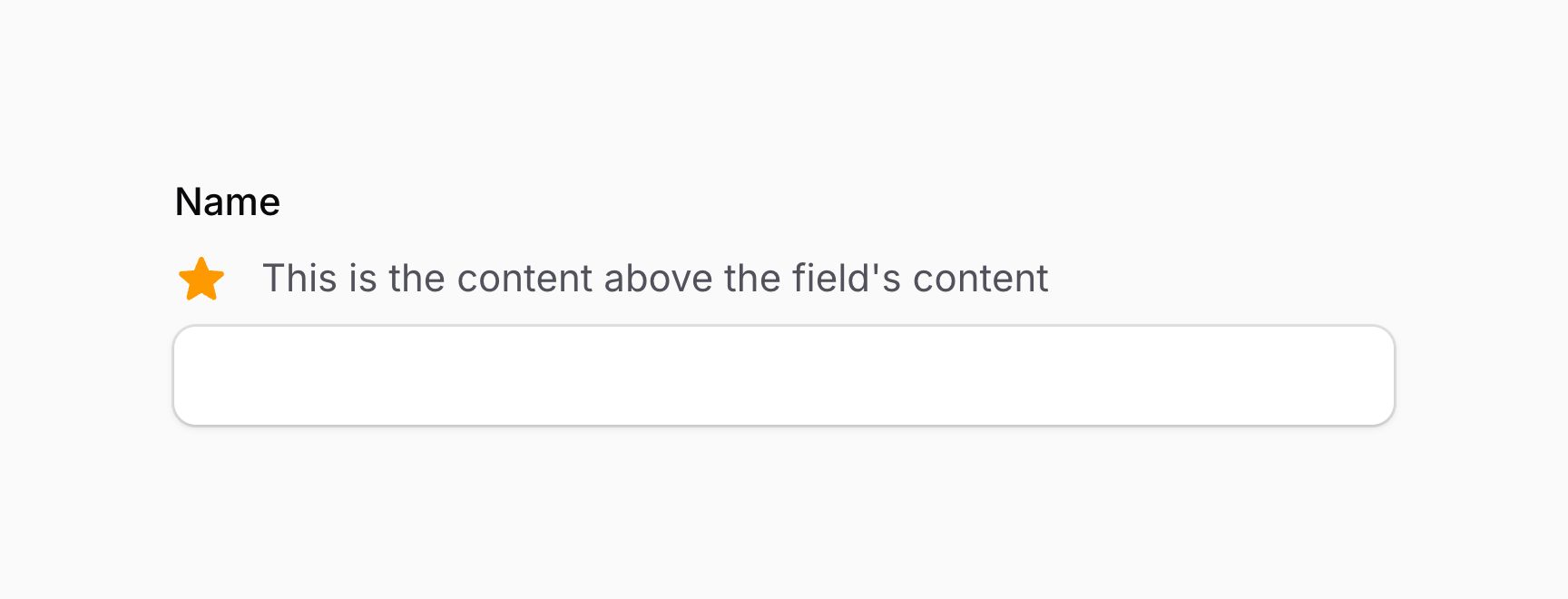
这看起来与 belowLabel() 方法相同。然而,当使用内联标签时,belowLabel() 方法会将内容放在标签下方,而不是字段内容上方,因为标签显示在字段内容的单独列中。
在字段内容前方添加额外内容
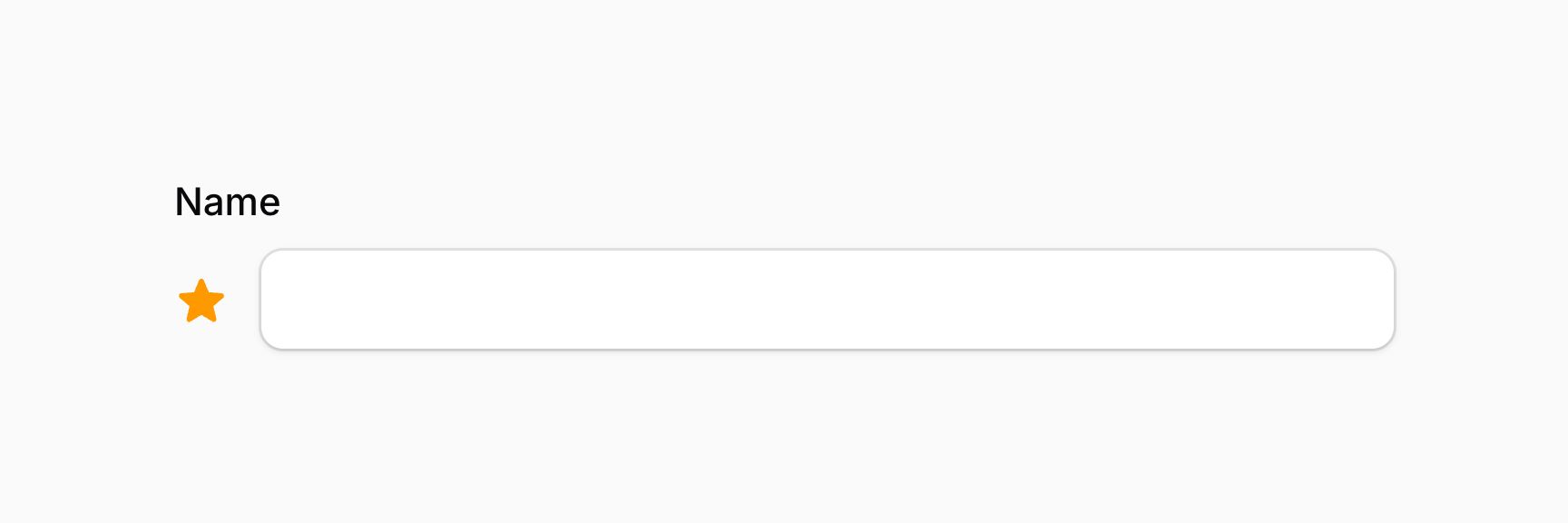
你可以使用 beforeContent() 方法在字段内容前方插入额外内容。你可以向此方法传递任何内容,如文本、schema 组件、操作或操作组:
use Filament\Forms\Components\TextInput;
use Filament\Schemas\Components\Icon;
use Filament\Support\Icons\Heroicon;

TextInput::make('name')
    ->beforeContent(Icon::make(Heroicon::Star))
beforeContent() 方法除了接受静态值外,还接受一个函数来动态计算。你可以将各种工具注入到函数参数中。
在字段内容后方添加额外内容
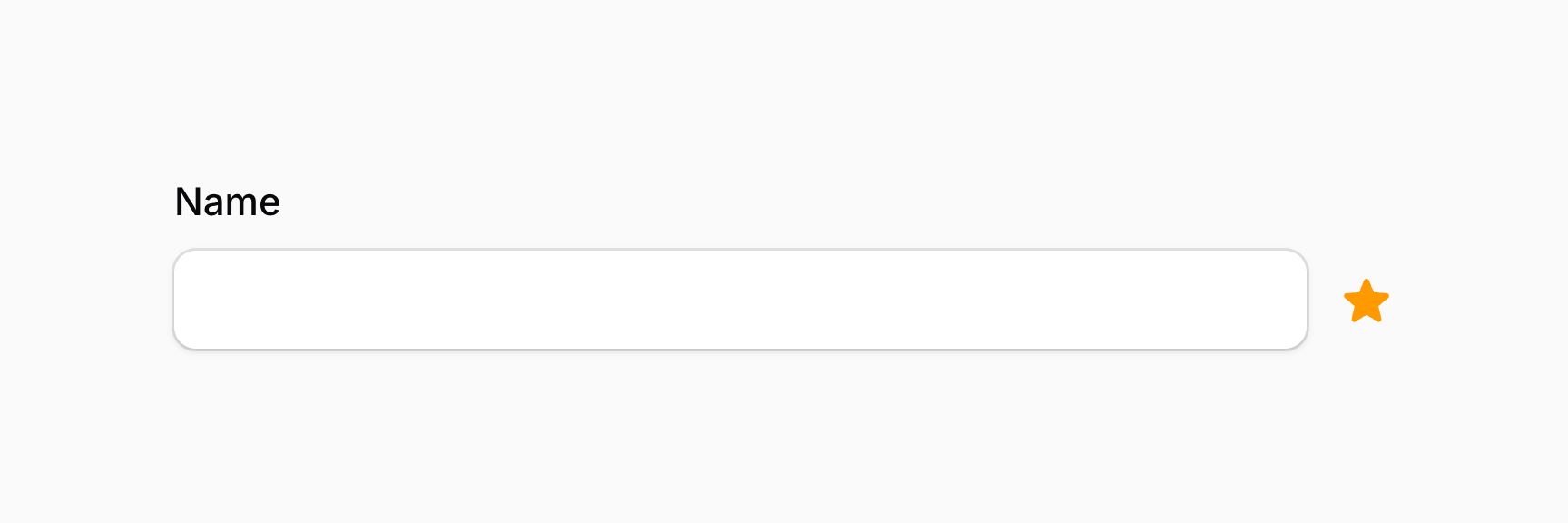
你可以使用 afterContent() 方法在字段内容后方插入额外内容。你可以向此方法传递任何内容,如文本、schema 组件、操作或操作组:
use Filament\Forms\Components\TextInput;
use Filament\Schemas\Components\Icon;
use Filament\Support\Icons\Heroicon;

TextInput::make('name')
    ->afterContent(Icon::make(Heroicon::Star))
afterContent() 方法除了接受静态值外,还接受一个函数来动态计算。你可以将各种工具注入到函数参数中。
在字段错误消息上方添加额外内容
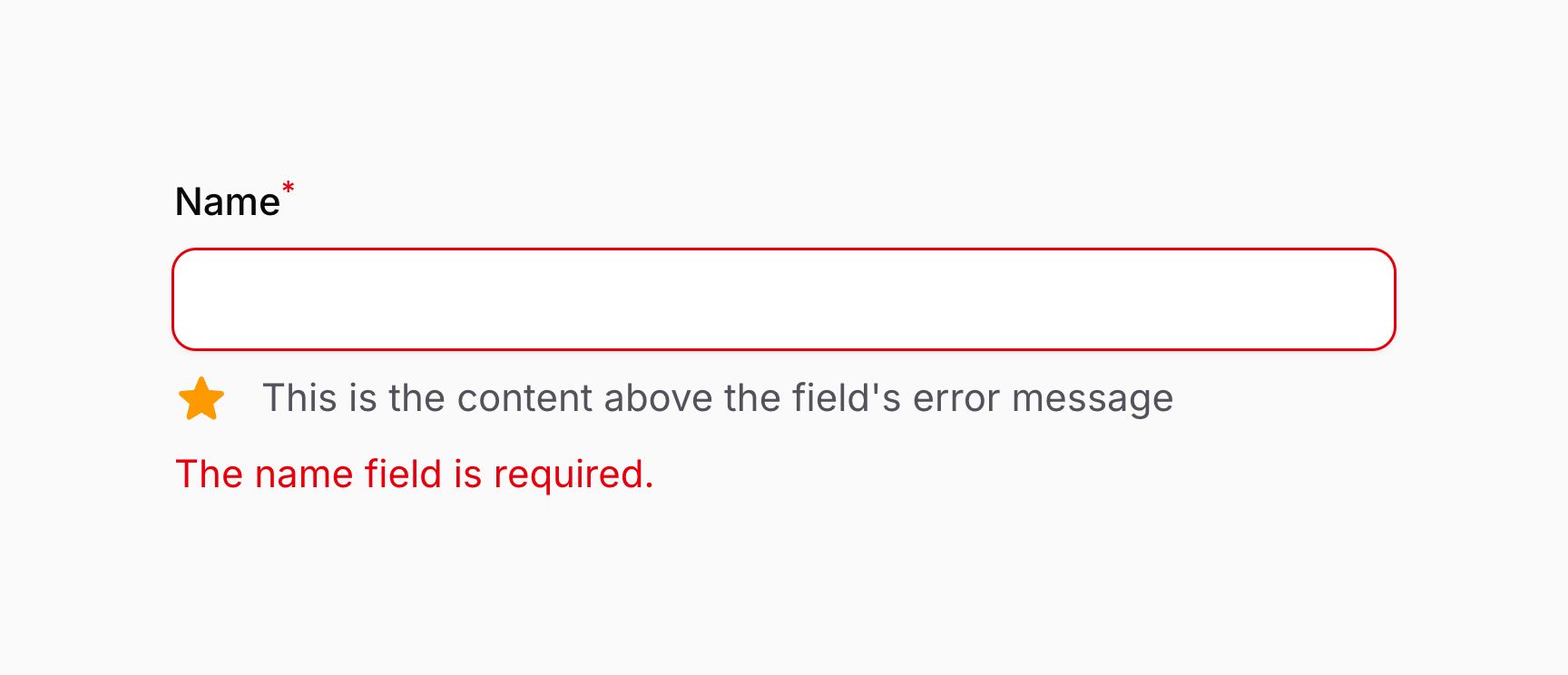
你可以使用 aboveErrorMessage() 方法在字段错误消息上方插入额外内容。除非显示错误消息,否则它不会可见。你可以向此方法传递任何内容,如文本、schema 组件、操作或操作组:
use Filament\Forms\Components\TextInput;
use Filament\Schemas\Components\Icon;
use Filament\Support\Icons\Heroicon;

TextInput::make('name')
    ->required()
    ->aboveErrorMessage([
        Icon::make(Heroicon::Star),
        'This is the content above the field\'s error message'
    ])
aboveErrorMessage() 方法除了接受静态值外,还接受一个函数来动态计算。你可以将各种工具注入到函数参数中。
在字段错误消息下方添加额外内容
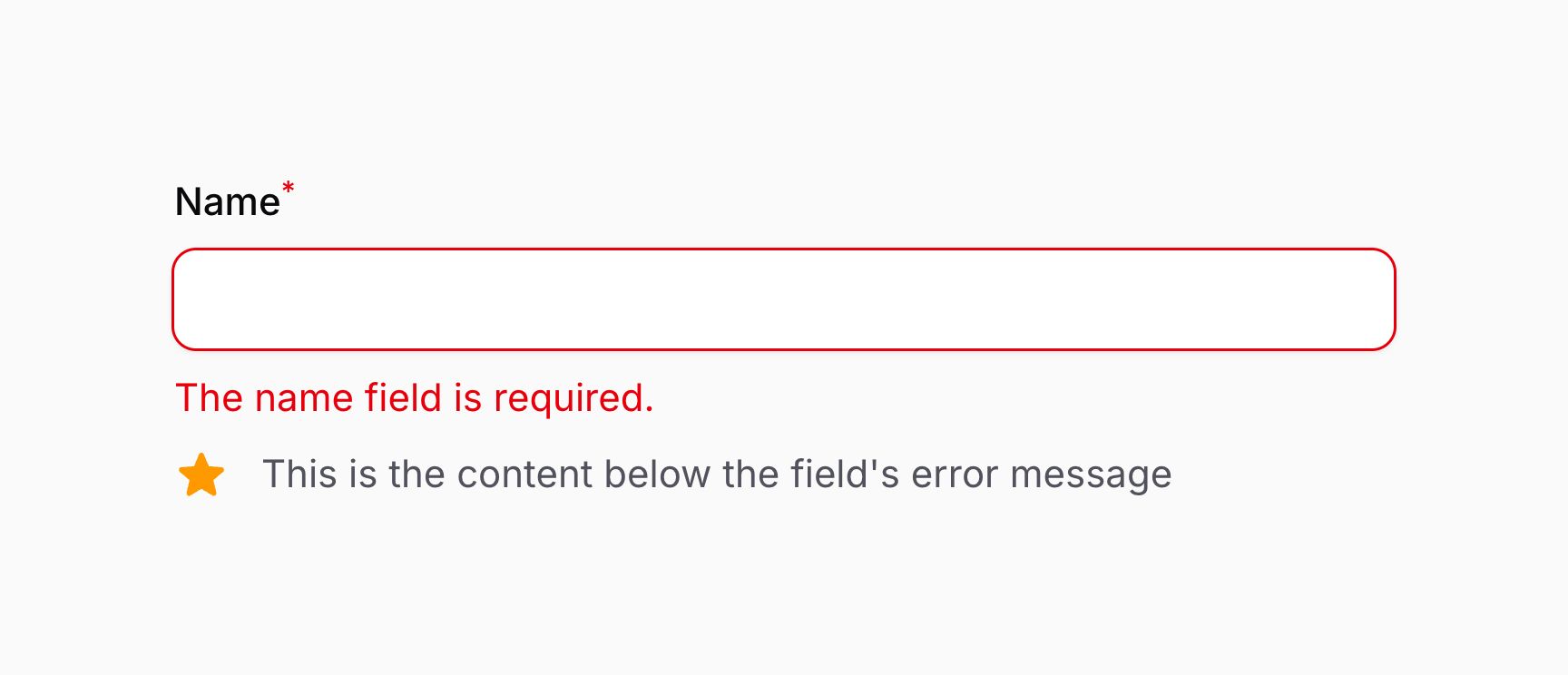
你可以使用 belowErrorMessage() 方法在字段错误消息下方插入额外内容。除非显示错误消息,否则它不会可见。你可以向此方法传递任何内容,如文本、schema 组件、操作或操作组:
use Filament\Forms\Components\TextInput;
use Filament\Schemas\Components\Icon;
use Filament\Support\Icons\Heroicon;

TextInput::make('name')
    ->required()
    ->belowErrorMessage([
        Icon::make(Heroicon::Star),
        'This is the content below the field\'s error message'
    ])
belowErrorMessage() 方法除了接受静态值外,还接受一个函数来动态计算。你可以将各种工具注入到函数参数中。
为字段添加额外 HTML 属性
你可以通过 extraAttributes() 方法向字段传递额外的 HTML 属性,这些属性将合并到其外部 HTML 元素上。属性应以数组表示,其中键是属性名,值是属性值:
use Filament\Forms\Components\TextInput;

TextInput::make('name')
    ->extraAttributes(['title' => 'Text input'])
extraAttributes() 方法除了接受静态值外,还接受一个函数来动态计算。你可以将各种工具注入到函数参数中。
默认情况下,多次调用 extraAttributes() 会覆盖之前的属性。如果你希望合并属性,可以向方法传递 merge: true。
为字段的 input 元素添加额外 HTML 属性
某些字段使用底层的 <input> 或 <select> DOM 元素,但这通常不是字段的外部元素,因此 extraAttributes() 方法可能无法按预期工作。在这种情况下,你可以使用 extraInputAttributes() 方法,它会将属性合并到字段 HTML 中的 <input> 或 <select> 元素上:
use Filament\Forms\Components\TextInput;

TextInput::make('categories')
    ->extraInputAttributes(['width' => 200])
extraInputAttributes() 方法除了接受静态值外,还接受一个函数来动态计算。你可以将各种工具注入到函数参数中。
默认情况下,多次调用 extraInputAttributes() 会覆盖之前的属性。如果你希望合并属性,可以向方法传递 merge: true。
为字段包装器添加额外 HTML 属性
你还可以向"字段包装器"的最外部元素传递额外的 HTML 属性,该元素包围着字段的标签和内容。如果你想通过 CSS 设置标签或字段间距的样式,这很有用,因为你可以将元素定位为包装器的子元素:
use Filament\Forms\Components\TextInput;

TextInput::make('categories')
    ->extraFieldWrapperAttributes(['class' => 'components-locked'])
extraFieldWrapperAttributes() 方法除了接受静态值外,还接受一个函数来动态计算。你可以将各种工具注入到函数参数中。
默认情况下,多次调用 extraFieldWrapperAttributes() 会覆盖之前的属性。如果你希望合并属性,可以向方法传递 merge: true。
字段工具注入
绝大多数用于配置字段的方法都接受函数作为参数,而非硬编码值:
use App\Models\User;
use Filament\Forms\Components\DatePicker;
use Filament\Forms\Components\Select;
use Filament\Forms\Components\TextInput;

DatePicker::make('date_of_birth')
    ->displayFormat(function (): string {
        if (auth()->user()->country_id === 'us') {
            return 'm/d/Y';
        }

        return 'd/m/Y';
    })

Select::make('user_id')
    ->options(function (): array {
        return User::query()->pluck('name', 'id')->all();
    })

TextInput::make('middle_name')
    ->required(fn (): bool => auth()->user()->hasMiddleName())
仅此一点就解锁了许多自定义可能性。
该包还能够注入许多工具作为参数在这些函数中使用。所有接受函数作为参数的自定义方法都可以注入工具。
这些注入的工具需要使用特定的参数名称。否则,Filament 不知道要注入什么。
注入字段的当前状态
如果你想访问字段的当前值(状态),定义一个 $state 参数:
function ($state) {
    // ...
}
注入字段的原始状态
如果字段自动将状态转换为更有用的格式,你可能希望访问原始状态。为此,定义一个 $rawState 参数:
function ($rawState) {
    // ...
}
注入另一个字段的状态
你也可以使用 $get 参数在回调中获取另一个字段的状态(值):
use Filament\Schemas\Components\Utilities\Get;

function (Get $get) {
    $email = $get('email'); // 将 `email` 字段的值存储在 `$email` 变量中。
    //...
}
除非表单字段是响应式的,否则当字段值改变时 schema 不会刷新,只有在用户进行下一次与服务器交互时才会刷新。如果你需要对字段值的变化做出反应,它应该设置为 live()。
类型安全地获取另一个字段的状态
你可以使用 Get 工具上的"类型化"方法以类型安全的方式获取另一个字段的状态:
use Filament\Schemas\Components\Utilities\Get;

$get->string('email');
$get->integer('age');
$get->float('price');
$get->boolean('is_admin');
$get->array('tags');
$get->date('published_at');
$get->enum('status', StatusEnum::class);
$get->filled('email'); // 返回字段 `filled()` 辅助函数的结果。
$get->blank('email'); // 返回字段 `blank()` 辅助函数的结果。
每个方法假设字段的状态不能为 null。要强制可空返回类型,传递 isNullable: true 参数:
use Filament\Schemas\Components\Utilities\Get;

$get->string('email', isNullable: true);
注入当前 Eloquent 记录
你可以使用 $record 参数获取当前 schema 的 Eloquent 记录:
use Illuminate\Database\Eloquent\Model;

function (?Model $record) {
    // ...
}
注入当前操作
如果你在为面板资源或关系管理器编写 schema,希望检查 schema 是 create、edit 还是 view,使用 $operation 参数:
function (string $operation) {
    // ...
}
你可以使用 $schema->operation() 方法手动设置 schema 的操作。
注入当前 Livewire 组件实例
如果你想访问当前 Livewire 组件实例,定义一个 $livewire 参数:
use Livewire\Component;

function (Component $livewire) {
    // ...
}
注入当前字段实例
如果你想访问当前组件实例,定义一个 $component 参数:
use Filament\Forms\Components\Field;

function (Field $component) {
    // ...
}
注入多个工具
参数通过反射动态注入,因此你可以按任意顺序组合多个参数:
use Filament\Schemas\Components\Utilities\Get;
use Filament\Schemas\Components\Utilities\Set;
use Livewire\Component as Livewire;

function (Livewire $livewire, Get $get, Set $set) {
    // ...
}
从 Laravel 容器注入依赖
你可以像平常一样从 Laravel 容器注入任何内容,与工具一起使用:
use Filament\Schemas\Components\Utilities\Set;
use Illuminate\Http\Request;

function (Request $request, Set $set) {
    // ...
}
使用 JavaScript 确定文本内容
允许渲染 HTML 的方法(如 label()和传递给 belowContent() 方法的 Text::make())可以使用 JavaScript 来计算其内容。通过向方法传递 JsContent 对象来实现,该对象是 Htmlable 的:
use Filament\Forms\Components\TextInput;
use Filament\Schemas\JsContent;

TextInput::make('greetingResponse')
    ->label(JsContent::make(<<<'JS'
        ($get('name') === 'John Doe') ? 'Hello, John!' : 'Hello, stranger!'
        JS
    ))
$state 和 $get 工具在此 JavaScript 上下文中可用,因此你可以使用它们访问字段和 schema 中其他字段的状态。
响应式基础
Livewire 是一个允许 Blade 渲染的 HTML 在不需要完整页面重新加载的情况下动态重新渲染的工具。Filament schema 建立在 Livewire 之上,因此能够动态重新渲染,使其内容在初始渲染后能够适应变化。
默认情况下,当用户使用字段时,schema 不会重新渲染。由于渲染需要与服务器往返,这是一种性能优化。然而,如果你希望在用户与字段交互后重新渲染 schema,可以使用 live() 方法:
use Filament\Forms\Components\Select;

Select::make('status')
    ->options([
        'draft' => 'Draft',
        'reviewing' => 'Reviewing',
        'published' => 'Published',
    ])
    ->live()
在这个示例中,当用户改变 status 字段的值时,schema 将重新渲染。这允许你根据 status 字段的新值对 schema 中的字段进行更改。此外,你可以挂接到字段的生命周期以在字段更新时执行自定义逻辑。
失去焦点时的响应式字段
默认情况下,当字段设置为 live() 时,每次与字段交互时 schema 都会重新渲染。然而,这对于某些字段(如文本输入)可能不合适,因为在用户仍在输入时发起网络请求会导致性能不佳。你可能希望仅在用户使用完字段、字段失去焦点后才重新渲染 schema。你可以使用 live(onBlur: true) 方法:
use Filament\Forms\Components\TextInput;

TextInput::make('username')
    ->live(onBlur: true)
响应式字段防抖
你可能希望在 live() 和 live(onBlur: true) 之间找到一个中间地带,使用"防抖"。防抖会阻止网络请求发送,直到用户停止输入一段时间。你可以使用 live(debounce: 500) 方法:
use Filament\Forms\Components\TextInput;

TextInput::make('username')
    ->live(debounce: 500) // 等待 500ms 后再重新渲染 schema。
在这个示例中,500 是发送网络请求前等待的毫秒数。你可以自定义这个数字,甚至使用字符串如 '1s'。
字段生命周期
schema 中的每个字段都有一个生命周期,即在 schema 加载、用户交互和提交时经历的过程。你可以使用在该阶段运行的函数来自定义生命周期每个阶段发生的事情。
字段填充
填充是将数据填入字段的过程。它在调用 schema 的 fill() 方法时运行。你可以使用 afterStateHydrated() 方法自定义字段填充后发生的事情。
在这个示例中,name 字段始终以正确的大写形式填充:
use Closure;
use Filament\Forms\Components\TextInput;

TextInput::make('name')
    ->required()
    ->afterStateHydrated(function (TextInput $component, string $state) {
        $component->state(ucwords($state));
    })
作为在填充时格式化字段状态的快捷方式,你可以使用 formatStateUsing() 方法:
use Closure;
use Filament\Forms\Components\TextInput;

TextInput::make('name')
    ->formatStateUsing(fn (string $state): string => ucwords($state))
字段更新
你可以使用 afterStateUpdated() 方法自定义用户更新字段后发生的事情:
use Filament\Forms\Components\TextInput;

TextInput::make('name')
    ->afterStateUpdated(function (?string $state, ?string $old) {
        // ...
    })
afterStateUpdated() 方法将各种工具作为参数注入到函数中。
在响应式字段上使用 afterStateUpdated() 时,由于会发起网络请求,交互不会感觉即时。有几种方法可以优化和避免渲染,使交互感觉更快。
设置另一个字段的状态
与 $get 类似,你也可以在 afterStateUpdated() 中使用 $set 参数设置另一个字段的值:
use Filament\Schemas\Components\Utilities\Set;

function (Set $set) {
    $set('title', 'Blog Post'); // 将 `title` 字段设置为 `Blog Post`。
    //...
}
当此函数运行时,title 字段的状态将被更新,schema 将以新标题重新渲染。
默认情况下,当你使用 $set() 时,被设置字段的 afterStateUpdated() 方法不会被调用。如果你希望调用它,可以传递 shouldCallUpdatedHooks: true 作为参数:
use Filament\Schemas\Components\Utilities\Set;

function (Set $set) {
    $set('title', 'Blog Post', shouldCallUpdatedHooks: true);
    //...
}
字段脱水
脱水是从 schema 中的字段获取数据、可选地转换它并返回的过程。它在调用 schema 的 getState() 方法时运行,通常在表单提交时调用。
你可以使用 dehydrateStateUsing() 函数自定义状态在脱水时的转换方式。在这个示例中,name 字段始终以正确的大写形式脱水:
use Filament\Forms\Components\TextInput;

TextInput::make('name')
    ->required()
    ->dehydrateStateUsing(fn (string $state): string => ucwords($state))
阻止字段被保存
你可以使用 saved(false) 完全阻止字段被保存。在这个示例中,字段不会出现在 getState() 返回的数组中,与字段关联的任何关系也不会被保存:
use Filament\Forms\Components\TextInput;

TextInput::make('password_confirmation')
    ->password()
    ->saved(false)
如果你的 schema 自动将数据保存到数据库(如在资源中),这对于阻止纯粹用于展示目的的字段被保存到数据库很有用。
即使字段未被保存,它仍然会被验证。要了解更多关于此行为的信息,请参阅验证部分。
字段渲染
每次响应式字段更新时,schema 所属的整个 Livewire 组件的 HTML 都会重新生成并通过网络请求发送到前端。在某些情况下,这可能是过度的,特别是当 schema 很大且只有某些组件发生了变化。
字段部分渲染
在这个示例中,"name"输入的值用于"email"输入的标签。"name"输入是 live()的,因此当用户在"name"输入中输入时,整个 schema 都会重新渲染。这不理想,因为只有"email"输入需要重新渲染:
use Filament\Forms\Components\TextInput;
use Filament\Schemas\Components\Utilities\Get;

TextInput::make('name')
    ->live()

TextInput::make('email')
    ->label(fn (Get $get): string => filled($get('name')) ? "Email address for {$get('name')}" : 'Email address')
在这种情况下,简单地调用 partiallyRenderComponentsAfterStateUpdated(),传递要重新渲染的其他字段名称,将使 schema 仅在状态更新后重新渲染指定字段:
use Filament\Forms\Components\TextInput;

TextInput::make('name')
    ->live()
    ->partiallyRenderComponentsAfterStateUpdated(['email'])
或者,你可以使用 partiallyRenderAfterStateUpdated() 指示 Filament 仅重新渲染当前组件。如果响应式组件是唯一依赖其当前状态的组件,这很有用:
use Filament\Forms\Components\TextInput;

TextInput::make('name')
    ->live()
    ->partiallyRenderAfterStateUpdated()
    ->belowContent(fn (Get $get): ?string => filled($get('name')) ? "Hi, {$get('name')}!" : null)
阻止 Livewire 组件在字段更新后渲染
如果你希望在字段更新时阻止 Livewire 组件重新渲染,可以使用 skipRenderAfterStateUpdated() 方法。如果你想在字段更新时执行某些操作,但不想让 Livewire 组件重新渲染,这很有用:
use Filament\Forms\Components\TextInput;

TextInput::make('name')
    ->live()
    ->skipRenderAfterStateUpdated()
    ->afterStateUpdated(function (string $state) {
        // 对状态执行某些操作,但不重新渲染 Livewire 组件。
    })
由于在 afterStateUpdated() 函数中使用 $set() 方法设置另一个字段的状态实际上只是修改字段的前端状态,你甚至不需要网络请求。afterStateUpdatedJs() 方法接受一个 JavaScript 表达式,每次字段值改变时运行。$state、$get() 和 $set() 工具在 JavaScript 上下文中可用,因此你可以使用它们设置其他字段的状态:
use Filament\Forms\Components\TextInput;
use Filament\Schemas\Components\Utilities\Set;

// 旧的 name 输入是 `live()` 的,因此每次更新都会发起网络请求和渲染。
TextInput::make('name')
    ->live()
    ->afterStateUpdated(fn (Set $set, ?string $state) => $set('email', ((string) str($state)->replace(' ', '.')->lower()) . '@example.com'))

// 新的 name 输入使用 `afterStateUpdatedJs()` 设置 email 字段的状态,不发起网络请求。
TextInput::make('name')
    ->afterStateUpdatedJs(<<<'JS'
        $set('email', ($state ?? '').replaceAll(' ', '.').toLowerCase() + '@example.com')
        JS)

TextInput::make('email')
    ->label('Email address')
传给 afterStateUpdatedJs() 方法的任何 JavaScript 字符串都将在浏览器中执行,因此你不应该直接将用户输入添加到字符串中,因为这可能导致跨站脚本(XSS)漏洞。来自 $state 或 $get() 的用户输入不应作为 JavaScript 代码执行,但作为字符串值使用是安全的,如上面的示例所示。
响应式表单食谱
本节包含在构建高级表单时可能需要执行的常见任务的配方集合。
条件隐藏字段
要条件隐藏或显示字段,可以向 hidden() 方法传递一个函数,根据是否希望隐藏字段返回 true 或 false。该函数可以注入工具作为参数,因此你可以做类似检查另一个字段值的事情:
use Filament\Schemas\Components\Utilities\Get;
use Filament\Forms\Components\Checkbox;
use Filament\Forms\Components\TextInput;

Checkbox::make('is_company')
    ->live()

TextInput::make('company_name')
    ->hidden(fn (Get $get): bool => ! $get('is_company'))
在这个示例中,is_company 复选框是 live()的。这允许当 is_company 字段的值改变时 schema 重新渲染。你可以使用 $get() 工具在 hidden() 函数中访问该字段的值。字段的值使用 ! 取反,这样当 is_company 字段为 false 时,company_name 字段被隐藏。
或者,你可以使用 visible() 方法来条件显示字段。它与 hidden() 完全相反,如果你更喜欢这种方式编写的代码的清晰度,可以使用它:
use Filament\Schemas\Components\Utilities\Get;
use Filament\Forms\Components\Checkbox;
use Filament\Forms\Components\TextInput;

Checkbox::make('is_company')
    ->live()

TextInput::make('company_name')
    ->visible(fn (Get $get): bool => $get('is_company'))
使用 live() 意味着每次字段改变时 schema 都会重新加载,触发网络请求。或者,你可以使用 JavaScript 根据另一个字段的值隐藏字段。
条件设置字段必填
要条件设置字段必填,可以向 required() 方法传递一个函数,根据是否希望字段必填返回 true 或 false。该函数可以注入工具作为参数,因此你可以做类似检查另一个字段值的事情:
use Filament\Schemas\Components\Utilities\Get;
use Filament\Forms\Components\TextInput;

TextInput::make('company_name')
    ->live(onBlur: true)

TextInput::make('vat_number')
    ->required(fn (Get $get): bool => filled($get('company_name')))
在这个示例中,company_name 字段是 live(onBlur: true)的。这允许当 company_name 字段的值改变且用户点击别处后 schema 重新渲染。你可以使用 $get() 工具在 required() 函数中访问该字段的值。字段的值使用 filled() 检查,这样当 company_name 字段不为 null 或空字符串时,vat_number 字段是必填的。结果是 vat_number 字段仅在 company_name 字段填写后才是必填的。
使用函数可以使任何其他验证规则以类似方式动态化。
从标题生成 slug
要在用户输入时从标题生成 slug,可以在标题字段上使用 afterStateUpdated() 方法来 $set() slug 字段的值:
use Filament\Schemas\Components\Utilities\Set;
use Filament\Forms\Components\TextInput;
use Illuminate\Support\Str;

TextInput::make('title')
    ->live(onBlur: true)
    ->afterStateUpdated(fn (Set $set, ?string $state) => $set('slug', Str::slug($state)))

TextInput::make('slug')
在这个示例中,title 字段是 live(onBlur: true)的。这允许当 title 字段的值改变且用户点击别处后 schema 重新渲染。afterStateUpdated() 方法用于在 title 字段状态更新后运行函数。该函数注入 $set() 工具和 title 字段的新状态。Str::slug() 工具方法是 Laravel 的一部分,用于从字符串生成 slug。然后使用 $set() 函数更新 slug 字段。
需要注意的一点是,用户可能会手动自定义 slug,如果标题改变,我们不想覆盖他们的更改。为了防止这种情况,我们可以使用标题的旧版本来判断用户是否自己修改了它。要访问标题的旧版本,你可以注入 $old,要在 slug 被更改前获取其当前值,我们可以使用 $get() 工具:
use Filament\Schemas\Components\Utilities\Get;
use Filament\Schemas\Components\Utilities\Set;
use Filament\Forms\Components\TextInput;
use Illuminate\Support\Str;

TextInput::make('title')
    ->live(onBlur: true)
    ->afterStateUpdated(function (Get $get, Set $set, ?string $old, ?string $state) {
        if (($get('slug') ?? '') !== Str::slug($old)) {
            return;
        }

        $set('slug', Str::slug($state));
    })

TextInput::make('slug')
依赖选择器选项
要根据另一个字段的值动态更新选择器字段的选项,可以向选择器字段的 options() 方法传递一个函数。该函数可以注入工具作为参数,因此你可以使用 $get() 工具做类似检查另一个字段值的事情:
use Filament\Schemas\Components\Utilities\Get;
use Filament\Forms\Components\Select;

Select::make('category')
    ->options([
        'web' => 'Web development',
        'mobile' => 'Mobile development',
        'design' => 'Design',
    ])
    ->live()

Select::make('sub_category')
    ->options(fn (Get $get): array => match ($get('category')) {
        'web' => [
            'frontend_web' => 'Frontend development',
            'backend_web' => 'Backend development',
        ],
        'mobile' => [
            'ios_mobile' => 'iOS development',
            'android_mobile' => 'Android development',
        ],
        'design' => [
            'app_design' => 'Panel design',
            'marketing_website_design' => 'Marketing website design',
        ],
        default => [],
    })
在这个示例中,category 字段是 live()的。这允许当 category 字段的值改变时 schema 重新渲染。你可以使用 $get() 工具在 options() 函数中访问该字段的值。字段的值用于确定 sub_category 字段中应该有哪些选项可用。PHP 中的 match 语句用于根据 category 字段的值返回选项数组。结果是 sub_category 字段将只显示与所选 category 字段相关的选项。
你可以通过在函数中查询来使此示例使用从 Eloquent 模型或其他数据源加载的选项:
use Filament\Schemas\Components\Utilities\Get;
use Filament\Forms\Components\Select;
use Illuminate\Support\Collection;

Select::make('category')
    ->options(Category::query()->pluck('name', 'id'))
    ->live()

Select::make('sub_category')
    ->options(fn (Get $get): Collection => SubCategory::query()
        ->where('category', $get('category'))
        ->pluck('name', 'id'))
基于选择器选项的动态字段
你可能希望根据字段(如选择器)的值渲染不同的字段集。为此,可以向任何布局组件的 schema() 方法传递一个函数,该函数检查字段的值并根据该值返回不同的 schema。此外,你还需要一种在动态 schema 首次加载时初始化新字段的方法。
use Filament\Forms\Components\FileUpload;
use Filament\Forms\Components\Select;
use Filament\Forms\Components\TextInput;
use Filament\Schemas\Components\Grid;
use Filament\Schemas\Components\Utilities\Get;

Select::make('type')
    ->options([
        'employee' => 'Employee',
        'freelancer' => 'Freelancer',
    ])
    ->live()
    ->afterStateUpdated(fn (Select $component) => $component
        ->getContainer()
        ->getComponent('dynamicTypeFields')
        ->getChildSchema()
        ->fill())

Grid::make(2)
    ->schema(fn (Get $get): array => match ($get('type')) {
        'employee' => [
            TextInput::make('employee_number')
                ->required(),
            FileUpload::make('badge')
                ->image()
                ->required(),
        ],
        'freelancer' => [
            TextInput::make('hourly_rate')
                ->numeric()
                ->required()
                ->prefix('€'),
            FileUpload::make('contract')
                ->required(),
        ],
        default => [],
    })
    ->key('dynamicTypeFields')
在这个示例中,type 字段是 live()的。这允许当 type 字段的值改变时 schema 重新渲染。afterStateUpdated() 方法用于在 type 字段状态更新后运行函数。在这种情况下,我们注入当前选择器字段实例,然后用它来获取包含选择器和网格组件的 schema"容器"实例。有了这个容器,我们可以使用分配给它的唯一键(dynamicTypeFields)来定位网格组件。有了网格组件实例,我们可以调用 fill(),就像在普通表单上初始化一样。然后使用网格组件的 schema() 方法根据 type 字段的值返回不同的 schema。这是通过使用 $get() 工具并动态返回不同的 schema 数组来实现的。
自动哈希密码字段
你有一个密码字段:
use Filament\Forms\Components\TextInput;

TextInput::make('password')
    ->password()
你可以使用脱水函数在表单提交时哈希密码:
use Filament\Forms\Components\TextInput;
use Illuminate\Support\Facades\Hash;

TextInput::make('password')
    ->password()
    ->dehydrateStateUsing(fn (string $state): string => Hash::make($state))
但如果你的 schema 用于更改现有密码,你不希望在字段为空时覆盖现有密码。如果字段为 null 或空字符串(使用 filled() 辅助函数),你可以阻止字段被保存:
use Filament\Forms\Components\TextInput;
use Illuminate\Support\Facades\Hash;

TextInput::make('password')
    ->password()
    ->dehydrateStateUsing(fn (string $state): string => Hash::make($state))
    ->saved(fn (?string $state): bool => filled($state))
然而,你希望在创建用户时要求填写密码,通过注入 $operation 工具,然后条件设置字段必填:
use Filament\Forms\Components\TextInput;
use Illuminate\Support\Facades\Hash;

TextInput::make('password')
    ->password()
    ->dehydrateStateUsing(fn (string $state): string => Hash::make($state))
    ->saved(fn (?string $state): bool => filled($state))
    ->required(fn (string $operation): bool => $operation === 'create')
保存数据到关系
除了能够为字段提供结构外,布局组件还能够将其嵌套字段"传送"到关系中。Filament 将处理从 HasOne、BelongsTo 或 MorphOne Eloquent 关系加载数据,然后将数据保存回同一关系。要设置此行为,你可以在任何布局组件上使用 relationship() 方法:
use Filament\Forms\Components\FileUpload;
use Filament\Forms\Components\Textarea;
use Filament\Forms\Components\TextInput;
use Filament\Schemas\Components\Fieldset;

Fieldset::make('Metadata')
    ->relationship('metadata')
    ->schema([
        TextInput::make('title'),
        Textarea::make('description'),
        FileUpload::make('image'),
    ])
在这个示例中,title、description 和 image 会自动从 metadata 关系加载,并在表单提交时再次保存。如果 metadata 记录不存在,它会自动创建。
此功能不仅限于 fieldset——你可以将其与任何布局组件一起使用。例如,你可以使用没有关联样式的 Group 组件:
use Filament\Forms\Components\TextInput;
use Filament\Schemas\Components\Group;

Group::make()
    ->relationship('customer')
    ->schema([
        TextInput::make('name')
            ->label('Customer')
            ->required(),
        TextInput::make('email')
            ->label('Email address')
            ->email()
            ->required(),
    ])
保存数据到 BelongsTo 或 MorphTo 关系
请注意,如果你将数据保存到 BelongsTo 或 MorphTo 关系,数据库中的外键列必须是 nullable()。这是因为 Filament 先保存 schema,然后再保存关系。由于 schema 先保存,外键 ID 尚不存在,所以它必须是可空的。在 schema 保存后,Filament 立即保存关系,这将填写外键 ID 并再次保存。
值得注意的是,如果你的 schema 模型上有观察者,你可能需要调整它以确保它不依赖于创建时存在的关系。例如,如果你有一个在 schema 创建时向相关记录发送邮件的观察者,你可能需要切换到使用在关系附加后运行的不同钩子,如 updated()。
为 MorphTo 关系指定关联模型
如果你使用 MorphTo 关系,并且希望 Filament 能够创建 MorphTo 记录而不仅仅是更新它们,你需要使用 relationship() 方法的 relatedModel 参数指定关联模型:
use App\Models\Organization;
use Filament\Forms\Components\TextInput;
use Filament\Schemas\Components\Group;

Group::make()
    ->relationship('customer', relatedModel: Organization::class)
    ->schema([
        // ...
    ])
在这个示例中,customer 是一个 MorphTo 关系,可以是 Individual 或 Organization。通过指定 relatedModel 参数,Filament 将能够在表单提交时创建 Organization 记录。如果你不指定此参数,Filament 将只能更新现有记录。
relatedModel 参数也接受一个返回关联模型类名的函数。如果你想根据表单的当前状态动态确定关联模型,这很有用。你可以将各种工具注入到此函数中。
条件保存数据到关系
有时,保存关联记录可能是可选的。如果用户填写了客户字段,则客户将被创建/更新。否则,客户将不会被创建,或者如果已存在则会被删除。为此,你可以向 relationship() 传递一个 condition 函数,该函数可以使用关联表单的 $state 来确定是否应该保存关系:
use Filament\Forms\Components\TextInput;
use Filament\Schemas\Components\Group;

Group::make()
    ->relationship(
        'customer',
        condition: fn (?array $state): bool => filled($state['name']),
    )
    ->schema([
        TextInput::make('name')
            ->label('Customer'),
        TextInput::make('email')
            ->label('Email address')
            ->email()
            ->requiredWith('name'),
    ])
在这个示例中,客户名称不是 required() 的,电子邮件地址仅在 name 填写后才是必填的。condition 函数用于检查 name 字段是否已填写,如果是,则客户将被创建/更新。否则,客户将不会被创建,或者如果已存在则会被删除。
组件隐藏时保存关系数据
默认情况下,如果使用 relationship() 的布局组件在表单提交时被隐藏,Filament 会完全跳过它——关联记录不会被创建或更新,任何现有记录保持不变。这通常是你想要的,因为隐藏的组件没有状态可保存。
如果你需要 Filament 在组件隐藏时仍然保存关系——例如,当其字段值由默认值填充时——调用 saveRelationshipsWhenHidden():
use Filament\Forms\Components\TextInput;
use Filament\Schemas\Components\Group;

Group::make()
    ->relationship('metadata')
    ->saveRelationshipsWhenHidden()
    ->hidden()
    ->schema([
        TextInput::make('source')
            ->default('admin'),
    ])
将 saveRelationshipsWhenHidden() 与在组件隐藏时返回 false 的 condition 结合使用,会在表单提交时删除任何现有的关联记录。如果你只想在组件隐藏时跳过保存,请省略 saveRelationshipsWhenHidden() 并依赖默认行为。
全局设置
如果你希望全局更改字段的默认行为,可以在服务提供者的 boot() 方法或中间件中调用静态 configureUsing() 方法。传递一个可以修改组件的闭包。例如,如果你希望将所有复选框设置为 inline(false),可以这样做:
use Filament\Forms\Components\Checkbox;

Checkbox::configureUsing(function (Checkbox $checkbox): void {
    $checkbox->inline(false);
});
当然,你仍然可以在每个字段上单独覆盖此行为:
use Filament\Forms\Components\Checkbox;

Checkbox::make('is_admin')
    ->inline()