数据库通知
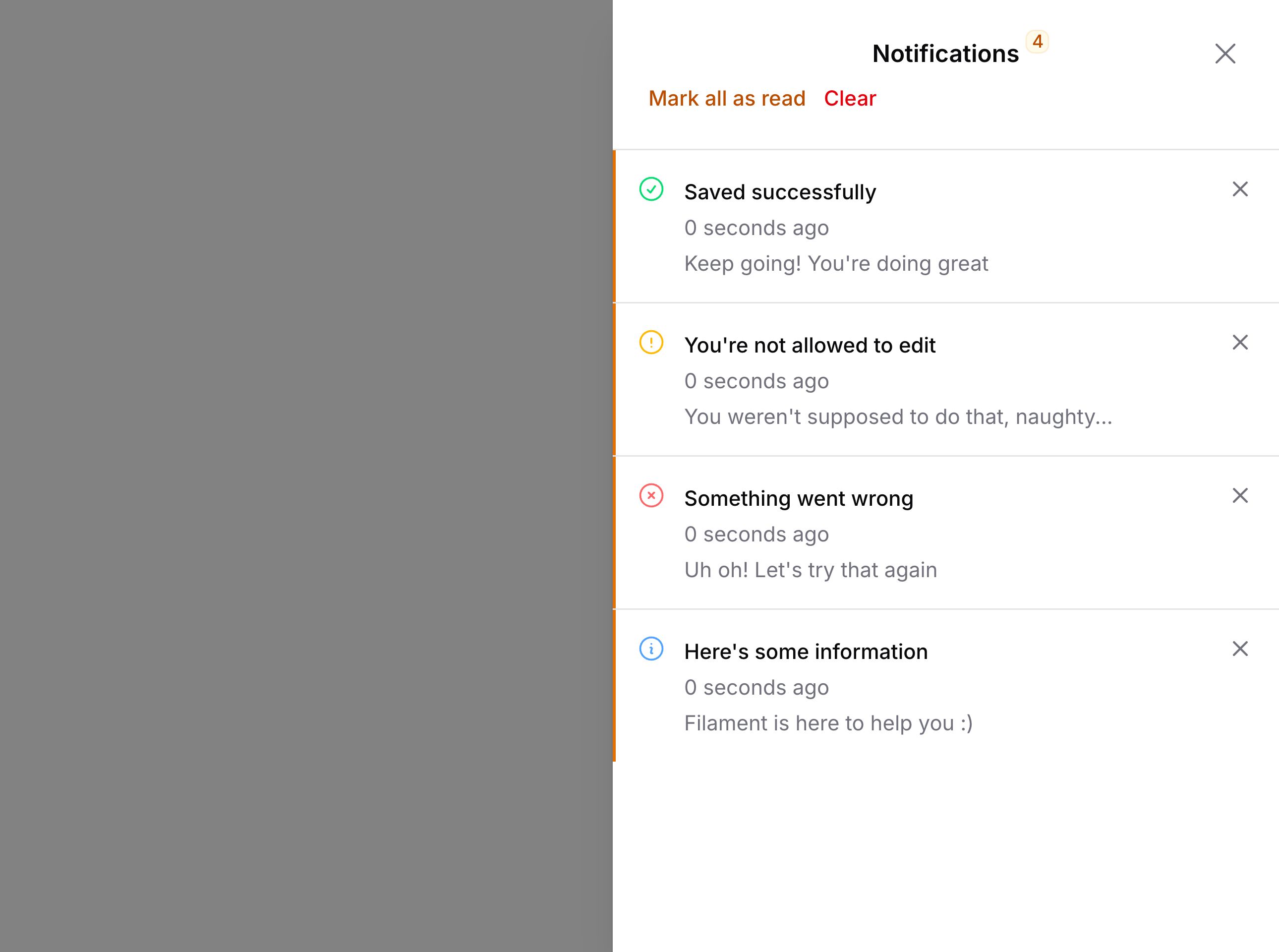
设置通知数据库表
在开始之前,确保已将 Laravel 通知表添加到数据库:
php artisan make:notifications-table
如果使用 PostgreSQL,确保迁移中的
data列使用json():$table->json('data')。
如果你的
User模型使用 UUID,确保notifiable列使用uuidMorphs():$table->uuidMorphs('notifiable')。
在面板中启用数据库通知
如果你想在面板中接收数据库通知,可以在配置中启用:
use Filament\Panel;

public function panel(Panel $panel): Panel
{
    return $panel
        // ...
        ->databaseNotifications();
}
发送数据库通知
有几种方式可以发送数据库通知,取决于哪种最适合你。
可以使用流畅的 API:
use Filament\Notifications\Notification;

$recipient = auth()->user();

Notification::make()
    ->title('Saved successfully')
    ->sendToDatabase($recipient);
或使用 notify() 方法:
use Filament\Notifications\Notification;

$recipient = auth()->user();

$recipient->notify(
    Notification::make()
        ->title('Saved successfully')
        ->toDatabase(),
);
Laravel 使用队列发送数据库通知。确保队列正在运行以接收通知。
或者,使用传统的 Laravel 通知类,从 toDatabase() 方法返回通知:
use App\Models\User;
use Filament\Notifications\Notification;

public function toDatabase(User $notifiable): array
{
    return Notification::make()
        ->title('Saved successfully')
        ->getDatabaseMessage();
}
将数据库通知触发器移到面板侧边栏
默认情况下,数据库通知触发器位于顶部栏中。如果顶部栏被禁用,则会添加到侧边栏。
你可以通过在配置中向 databaseNotifications() 方法传递 position 参数来始终将其移到侧边栏:
use Filament\Enums\DatabaseNotificationsPosition;
use Filament\Panel;

public function panel(Panel $panel): Panel
{
    return $panel
        // ...
        ->databaseNotifications(position: DatabaseNotificationsPosition::Sidebar);
}
接收数据库通知
如果不进行任何设置,新的数据库通知只会在页面首次加载时接收。
轮询新的数据库通知
轮询是定期向服务器发出请求以检查新通知的做法。这是一种好的方法,因为设置简单,但有些人认为这不是可扩展的解决方案,因为它会增加服务器负载。
默认情况下,Livewire 每 30 秒轮询一次新通知:
use Filament\Panel;

public function panel(Panel $panel): Panel
{
    return $panel
        // ...
        ->databaseNotifications()
        ->databaseNotificationsPolling('30s');
}
你可以完全禁用轮询:
use Filament\Panel;

public function panel(Panel $panel): Panel
{
    return $panel
        // ...
        ->databaseNotifications()
        ->databaseNotificationsPolling(null);
}
使用 Echo 通过 Websocket 接收新的数据库通知
Websocket 是实时接收新通知的更高效方式。要设置 Websocket,必须先在面板中配置它。
设置好 Websocket 后,你可以在发送通知时将 isEventDispatched 参数设置为 true 来自动触发 DatabaseNotificationsSent 事件。这将触发用户立即获取新通知:
use Filament\Notifications\Notification;

$recipient = auth()->user();

Notification::make()
    ->title('Saved successfully')
    ->sendToDatabase($recipient, isEventDispatched: true);
将数据库通知标记为已读
模态框顶部有一个按钮可以将所有通知一次性标记为已读。你也可以为通知添加操作,用于将单个通知标记为已读。为此,在操作上使用 markAsRead() 方法:
use Filament\Actions\Action;
use Filament\Notifications\Notification;

Notification::make()
    ->title('Saved successfully')
    ->success()
    ->body('Changes to the post have been saved.')
    ->actions([
        Action::make('view')
            ->button()
            ->markAsRead(),
    ])
    ->send();
或者,你可以使用 markAsUnread() 方法将通知标记为未读:
use Filament\Actions\Action;
use Filament\Notifications\Notification;

Notification::make()
    ->title('Saved successfully')
    ->success()
    ->body('Changes to the post have been saved.')
    ->actions([
        Action::make('markAsUnread')
            ->button()
            ->markAsUnread(),
    ])
    ->send();
打开数据库通知模态框
你可以通过触发 open-modal 浏览器事件从任何位置打开数据库通知模态框:
<button
    x-data="{}"
    x-on:click="$dispatch('open-modal', { id: 'database-notifications' })"
    type="button"
>
    Notifications
</button>