通知
简介
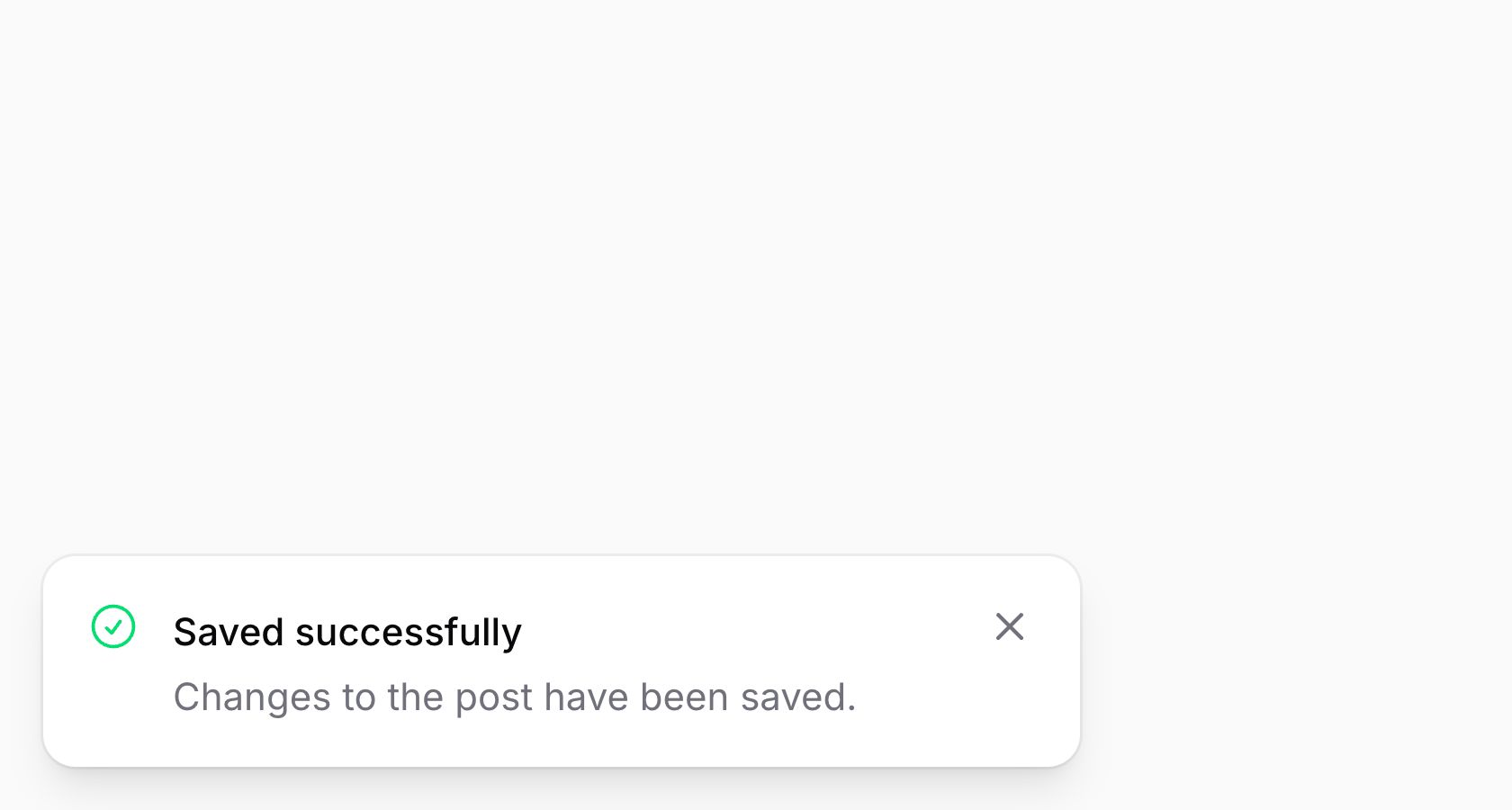
通知通过 Notification 对象发送,该对象使用流畅的 API 构建。调用 Notification 对象上的 send() 方法将触发通知并在应用中显示。由于使用会话闪存通知,因此可以从代码中的任何位置发送通知,包括 JavaScript,而不仅限于 Livewire 组件。
<?php

namespace App\Livewire;

use Filament\Notifications\Notification;
use Livewire\Component;

class EditPost extends Component
{
    public function save(): void
    {
        // ...

        Notification::make()
            ->title('Saved successfully')
            ->success()
            ->send();
    }
}
设置标题
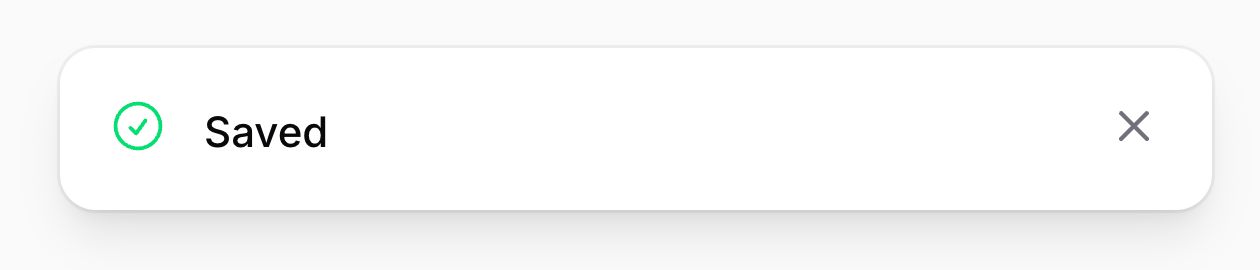
通知的主要消息显示在标题中。可以按如下方式设置标题:
use Filament\Notifications\Notification;

Notification::make()
    ->title('Saved successfully')
    ->send();
标题文本可以包含基本的安全 HTML 元素。要使用 Markdown 生成安全的 HTML,可以使用 Str::markdown() 辅助函数:title(Str::markdown('Saved **successfully**'))
Filament 内置的 HTML 净化器允许内联 style 属性,以支持富文本格式功能,如字体颜色、文本高亮和图片尺寸调整。这意味着像 background: url(...) 或 position: fixed 这样的 CSS 属性不会从净化后的 HTML 中移除。如果你的内容来自不受信任的用户,应考虑限制默认配置。详见安全文档了解如何自定义净化器。
或使用 JavaScript:
new FilamentNotification()
    ->title('Saved successfully')
    .send()
设置图标
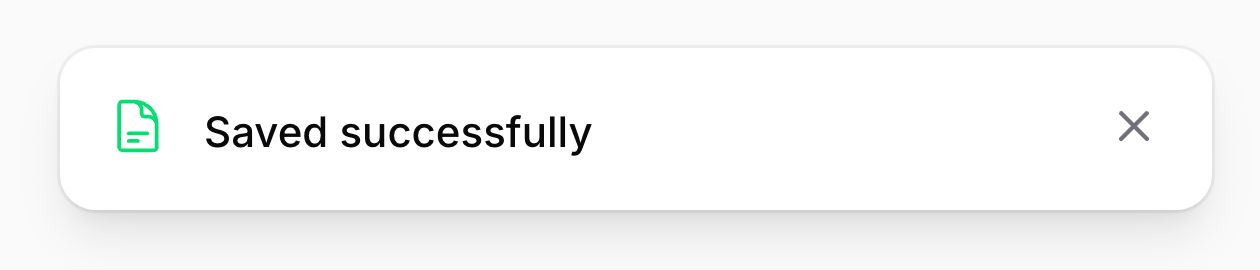
通知可以可选地在内容前方显示一个图标。你还可以为图标设置颜色,默认为灰色:
use Filament\Notifications\Notification;

Notification::make()
    ->title('Saved successfully')
    ->icon('heroicon-o-document-text')
    ->iconColor('success')
    ->send();
或使用 JavaScript:
new FilamentNotification()
    .title('Saved successfully')
    .icon('heroicon-o-document-text')
    .iconColor('success')
    .send()
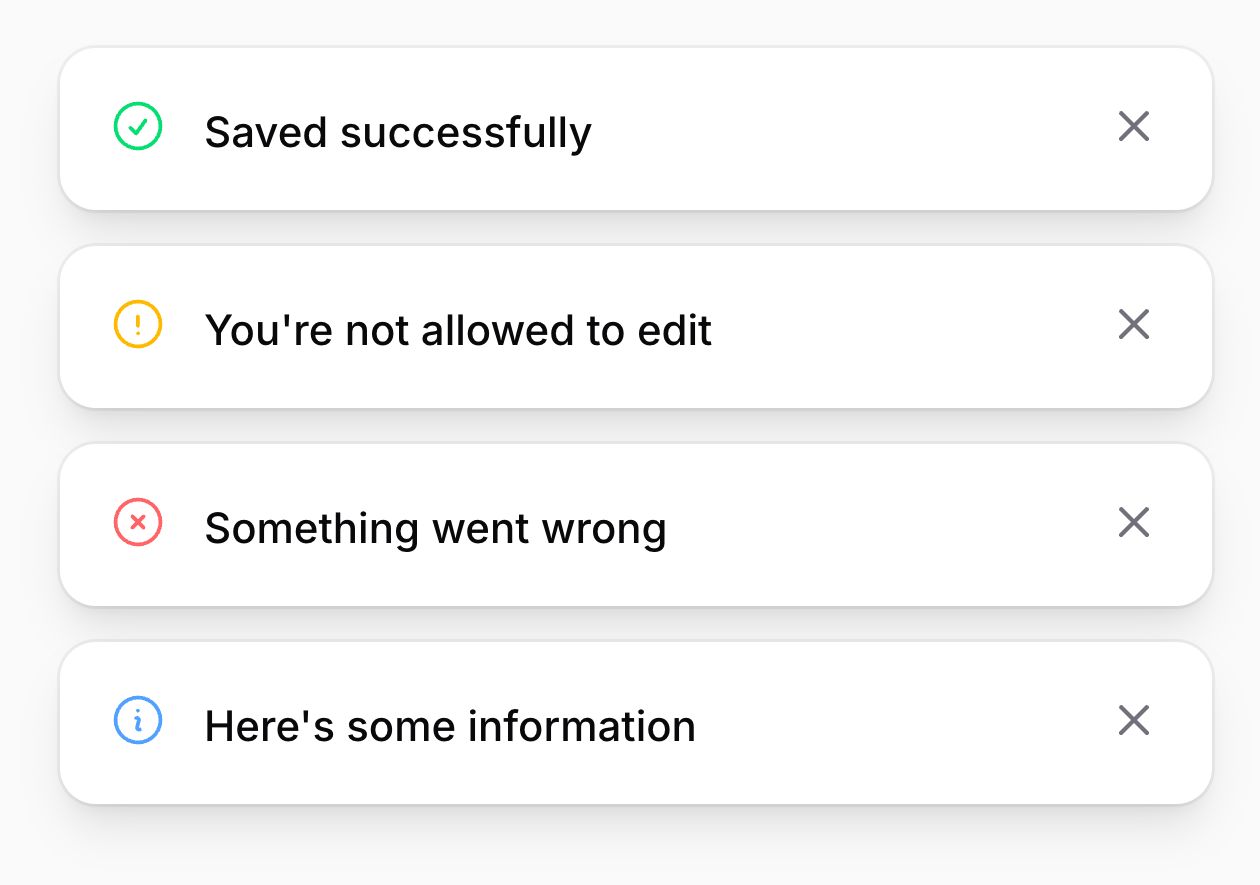
通知通常具有 success、warning、danger 或 info 等状态。除了手动设置相应的图标和颜色外,还有一个 status() 方法可以传入状态值。你也可以使用专用的 success()、warning()、danger() 和 info() 方法。因此,上面的示例可以简化为:
use Filament\Notifications\Notification;

Notification::make()
    ->title('Saved successfully')
    ->success()
    ->send();
或使用 JavaScript:
new FilamentNotification()
    .title('Saved successfully')
    .success()
    .send()
设置背景颜色
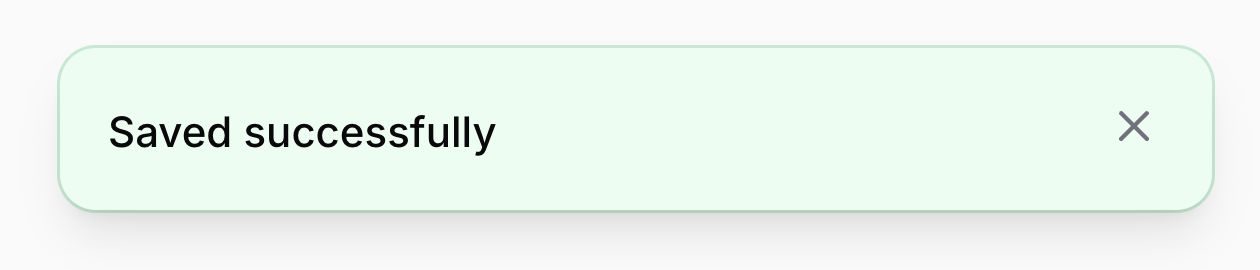
通知默认没有背景颜色。你可以按如下方式设置颜色,为通知提供额外的上下文信息:
use Filament\Notifications\Notification;

Notification::make()
    ->title('Saved successfully')
    ->color('success')
    ->send();
或使用 JavaScript:
new FilamentNotification()
    .title('Saved successfully')
    .color('success')
    .send()
设置持续时间
默认情况下,通知显示 6 秒后自动关闭。你可以按如下方式指定自定义的持续时间值(毫秒):
use Filament\Notifications\Notification;

Notification::make()
    ->title('Saved successfully')
    ->success()
    ->duration(5000)
    ->send();
或使用 JavaScript:
new FilamentNotification()
    .title('Saved successfully')
    .success()
    .duration(5000)
    .send()
如果你更喜欢以秒为单位设置持续时间,可以这样做:
use Filament\Notifications\Notification;

Notification::make()
    ->title('Saved successfully')
    ->success()
    ->seconds(5)
    ->send();
或使用 JavaScript:
new FilamentNotification()
    .title('Saved successfully')
    .success()
    .seconds(5)
    .send()
你可能希望某些通知不自动关闭,需要用户手动关闭。这可以通过将通知设为持久化来实现:
use Filament\Notifications\Notification;

Notification::make()
    ->title('Saved successfully')
    ->success()
    ->persistent()
    ->send();
或使用 JavaScript:
new FilamentNotification()
    .title('Saved successfully')
    .success()
    .persistent()
    .send()
设置正文文本
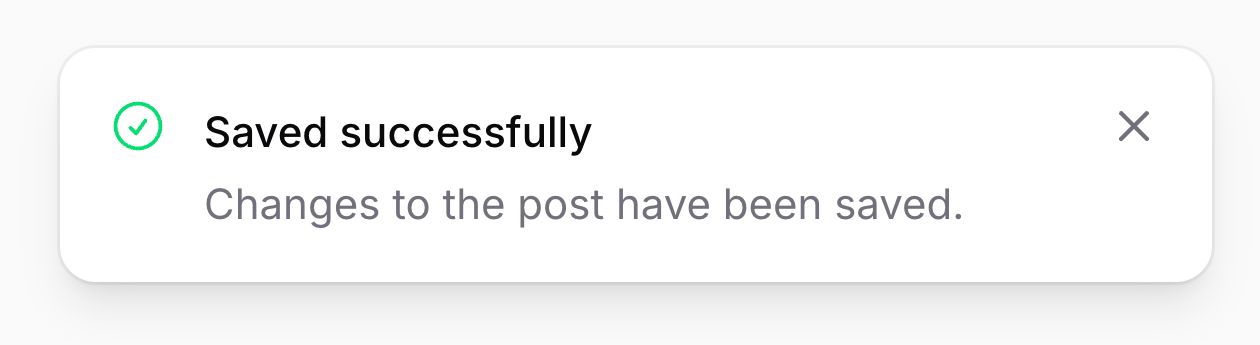
可以在 body() 中显示额外的通知文本:
use Filament\Notifications\Notification;

Notification::make()
    ->title('Saved successfully')
    ->success()
    ->body('Changes to the post have been saved.')
    ->send();
正文文本可以包含基本的安全 HTML 元素。要使用 Markdown 生成安全的 HTML,可以使用 Str::markdown() 辅助函数:body(Str::markdown('Changes to the **post** have been saved.'))
或使用 JavaScript:
new FilamentNotification()
    .title('Saved successfully')
    .success()
    .body('Changes to the post have been saved.')
    .send()
为通知添加操作
通知支持操作,即渲染在通知内容下方的按钮。它们可以打开 URL 或触发 Livewire 事件。操作可以按如下方式定义:
use Filament\Actions\Action;
use Filament\Notifications\Notification;

Notification::make()
    ->title('Saved successfully')
    ->success()
    ->body('Changes to the post have been saved.')
    ->actions([
        Action::make('view')
            ->button(),
        Action::make('undo')
            ->color('gray'),
    ])
    ->send();
或使用 JavaScript:
new FilamentNotification()
    .title('Saved successfully')
    .success()
    .body('Changes to the post have been saved.')
    .actions([
        new FilamentNotificationAction('view')
            .button(),
        new FilamentNotificationAction('undo')
            .color('gray'),
    ])
    .send()
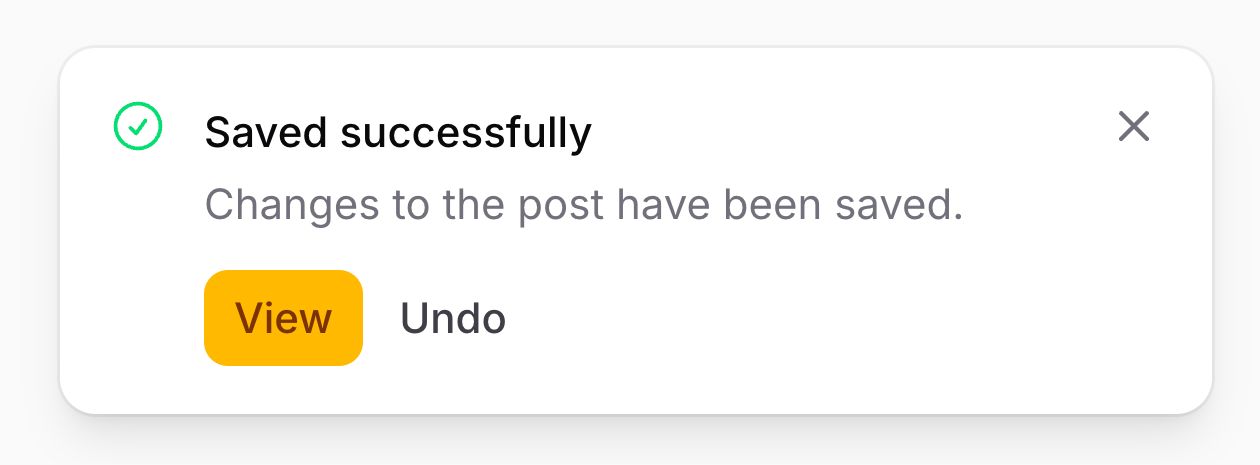
你可以在此处了解更多关于操作按钮样式的信息。
从通知操作中打开 URL
你可以点击操作时打开 URL,可选地在新标签页中打开:
use Filament\Actions\Action;
use Filament\Notifications\Notification;

Notification::make()
    ->title('Saved successfully')
    ->success()
    ->body('Changes to the post have been saved.')
    ->actions([
        Action::make('view')
            ->button()
            ->url(route('posts.show', $post), shouldOpenInNewTab: true),
        Action::make('undo')
            ->color('gray'),
    ])
    ->send();
或使用 JavaScript:
new FilamentNotification()
    .title('Saved successfully')
    .success()
    .body('Changes to the post have been saved.')
    .actions([
        new FilamentNotificationAction('view')
            .button()
            .url('/view')
            .openUrlInNewTab(),
        new FilamentNotificationAction('undo')
            .color('gray'),
    ])
    .send()
如果你将用户控制的数据传递给 url() 方法,应验证该 URL 是否使用了危险的 scheme,如 javascript: 或 data:。否则可能会使你的应用暴露于 XSS 攻击。
从通知操作中触发 Livewire 事件
有时你希望在点击通知操作时执行额外的代码。这可以通过设置点击操作时应触发的 Livewire 事件来实现。你可以可选地传递一个数据数组,该数组将作为 Livewire 组件中事件监听器的参数:
use Filament\Actions\Action;
use Filament\Notifications\Notification;

Notification::make()
    ->title('Saved successfully')
    ->success()
    ->body('Changes to the post have been saved.')
    ->actions([
        Action::make('view')
            ->button()
            ->url(route('posts.show', $post), shouldOpenInNewTab: true),
        Action::make('undo')
            ->color('gray')
            ->dispatch('undoEditingPost', [$post->id]),
    ])
    ->send();
你也可以使用 dispatchSelf 和 dispatchTo:
Action::make('undo')
    ->color('gray')
    ->dispatchSelf('undoEditingPost', [$post->id])

Action::make('undo')
    ->color('gray')
    ->dispatchTo('another_component', 'undoEditingPost', [$post->id])
或使用 JavaScript:
new FilamentNotification()
    .title('Saved successfully')
    .success()
    .body('Changes to the post have been saved.')
    .actions([
        new FilamentNotificationAction('view')
            .button()
            .url('/view')
            .openUrlInNewTab(),
        new FilamentNotificationAction('undo')
            .color('gray')
            .dispatch('undoEditingPost'),
    ])
    .send()
同样,dispatchSelf 和 dispatchTo 也可用:
new FilamentNotificationAction('undo')
    .color('gray')
    .dispatchSelf('undoEditingPost')

new FilamentNotificationAction('undo')
    .color('gray')
    .dispatchTo('another_component', 'undoEditingPost')
从操作中关闭通知
在从操作中打开 URL 或触发事件后,你可能希望立即关闭通知:
use Filament\Actions\Action;
use Filament\Notifications\Notification;

Notification::make()
    ->title('Saved successfully')
    ->success()
    ->body('Changes to the post have been saved.')
    ->actions([
        Action::make('view')
            ->button()
            ->url(route('posts.show', $post), shouldOpenInNewTab: true),
        Action::make('undo')
            ->color('gray')
            ->dispatch('undoEditingPost', [$post->id])
            ->close(),
    ])
    ->send();
或使用 JavaScript:
new FilamentNotification()
    .title('Saved successfully')
    .success()
    .body('Changes to the post have been saved.')
    .actions([
        new FilamentNotificationAction('view')
            .button()
            .url('/view')
            .openUrlInNewTab(),
        new FilamentNotificationAction('undo')
            .color('gray')
            .dispatch('undoEditingPost')
            .close(),
    ])
    .send()
使用 JavaScript 对象
JavaScript 对象(FilamentNotification 和 FilamentNotificationAction)被分配给 window.FilamentNotification 和 window.FilamentNotificationAction,因此可在页面脚本中使用。
你也可以在打包的 JavaScript 文件中导入它们:
import { Notification, NotificationAction } from '../../vendor/filament/notifications/dist/index.js'

// ...
使用 JavaScript 关闭通知
一旦发送了通知,你可以通过在窗口上触发名为 close-notification 的浏览器事件来按需关闭它。
该事件需要包含你发送的通知的 ID。要获取 ID,可以使用 Notification 对象上的 getId() 方法:
use Filament\Notifications\Notification;

$notification = Notification::make()
    ->title('Hello')
    ->persistent()
    ->send()

$notificationId = $notification->getId()
要关闭通知,可以从 Livewire 中触发事件:
$this->dispatch('close-notification', id: $notificationId);
或从 JavaScript 中(这里使用 Alpine.js):
<button x-on:click="$dispatch('close-notification', { id: notificationId })" type="button">
    Close Notification
</button>
如果你能够获取通知 ID、保存它,然后使用它来关闭通知,这是推荐的方法,因为 ID 是唯一生成的,你不会冒险关闭错误的通知。然而,如果无法保存随机 ID,你可以在发送通知时传入自定义 ID:
use Filament\Notifications\Notification;

Notification::make('greeting')
    ->title('Hello')
    ->persistent()
    ->send()
在这种情况下,你可以通过使用自定义 ID 触发事件来关闭通知:
<button x-on:click="$dispatch('close-notification', { id: 'greeting' })" type="button">
    Close Notification
</button>
请注意,如果你使用相同的 ID 发送多个通知,可能会出现意外的副作用,因此建议使用随机 ID。
定位通知
你可以在服务提供者或中间件中配置通知的对齐方式,通过调用 Notifications::alignment() 和 Notifications::verticalAlignment()。你可以传入 Alignment::Start、Alignment::Center、Alignment::End、VerticalAlignment::Start、VerticalAlignment::Center 或 VerticalAlignment::End:
use Filament\Notifications\Livewire\Notifications;
use Filament\Support\Enums\Alignment;
use Filament\Support\Enums\VerticalAlignment;

Notifications::alignment(Alignment::Start);
Notifications::verticalAlignment(VerticalAlignment::End);