编辑记录
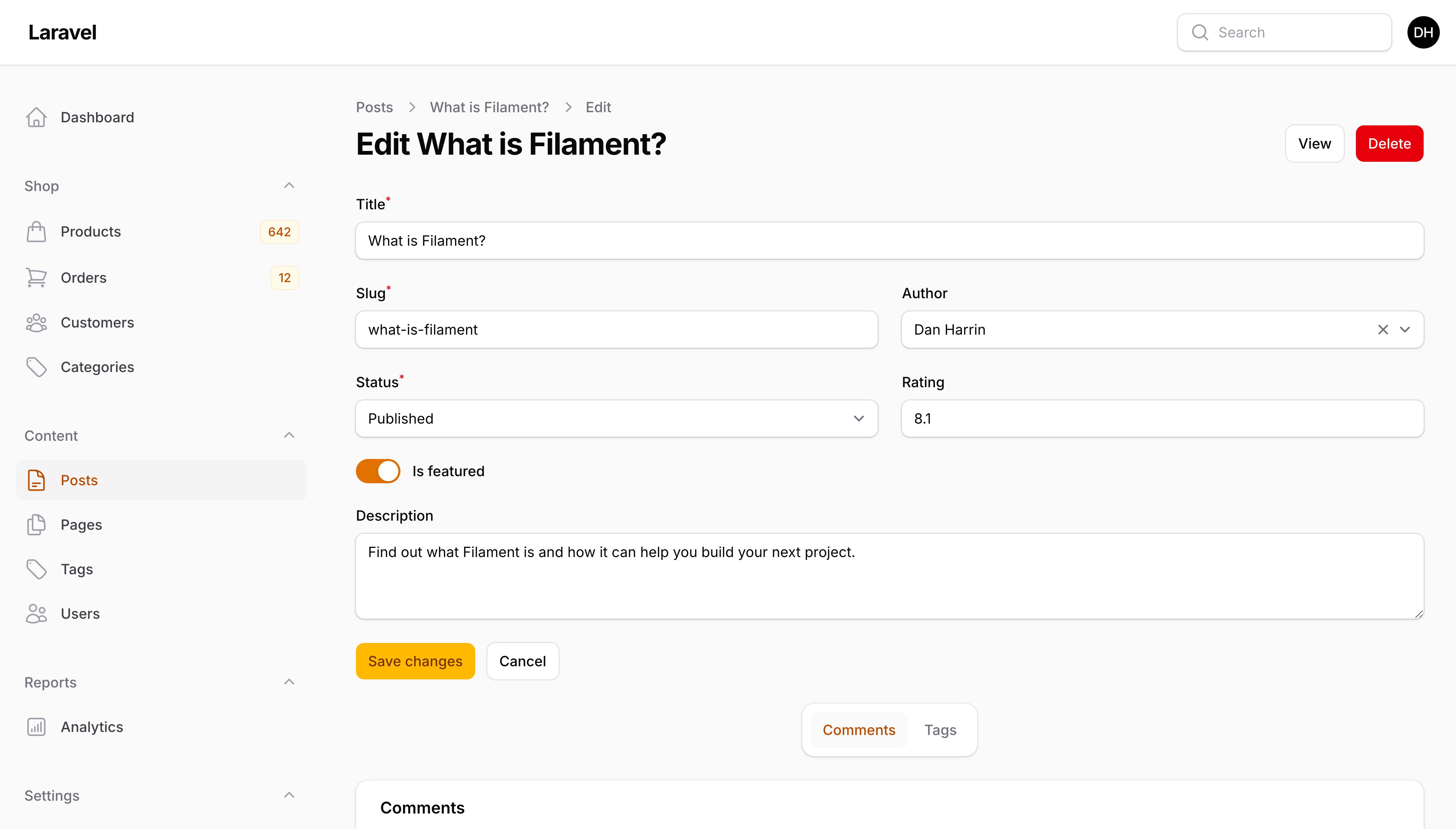
在填充表单前自定义数据
你可能希望在记录数据填充到表单之前对其进行修改。为此,你可以在编辑页面类中定义 mutateFormDataBeforeFill() 方法来修改 $data 数组,并在填充到表单之前返回修改后的版本:
protected function mutateFormDataBeforeFill(array $data): array
{
    $data['user_id'] = auth()->id();

    return $data;
}
或者,如果你在模态操作中编辑记录,请查阅操作文档。
在保存前自定义数据
有时,你可能希望在表单数据最终保存到数据库之前对其进行修改。为此,你可以在编辑页面类中定义 mutateFormDataBeforeSave() 方法,该方法接收 $data 数组并返回修改后的版本:
protected function mutateFormDataBeforeSave(array $data): array
{
    $data['last_edited_by_id'] = auth()->id();

    return $data;
}
或者,如果你在模态操作中编辑记录,请查阅操作文档。
自定义保存过程
你可以使用编辑页面类中的 handleRecordUpdate() 方法来调整记录的更新方式:
use Illuminate\Database\Eloquent\Model;

protected function handleRecordUpdate(Model $record, array $data): Model
{
    $record->update($data);

    return $record;
}
或者,如果你在模态操作中编辑记录,请查阅操作文档。
自定义重定向
默认情况下,保存表单不会将用户重定向到其他页面。
你可以通过覆盖编辑页面类中的 getRedirectUrl() 方法来设置自定义重定向。
例如,表单可以重定向回资源的列表页面:
protected function getRedirectUrl(): string
{
    return $this->getResource()::getUrl('index');
}
或者重定向到查看页面:
protected function getRedirectUrl(): string
{
    return $this->getResource()::getUrl('view', ['record' => $this->getRecord()]);
}
如果你希望重定向到上一个页面,否则回到索引页面:
protected function getRedirectUrl(): string
{
    return $this->previousUrl ?? $this->getResource()::getUrl('index');
}
你还可以使用配置一次性为所有资源自定义默认重定向页面:
use Filament\Panel;

public function panel(Panel $panel): Panel
{
    return $panel
        // ...
        ->resourceEditPageRedirect('index') // 或
        ->resourceEditPageRedirect('view');
}
自定义保存通知
当记录成功更新时,系统会向用户发送一条通知,表示操作成功。
要自定义此通知的标题,请在编辑页面类中定义 getSavedNotificationTitle() 方法:
protected function getSavedNotificationTitle(): ?string
{
    return '用户已更新';
}
或者,如果你在模态操作中编辑记录,请查阅操作文档。
你可以通过覆盖编辑页面类中的 getSavedNotification() 方法来自定义整个通知:
use Filament\Notifications\Notification;

protected function getSavedNotification(): ?Notification
{
    return Notification::make()
        ->success()
        ->title('用户已更新')
        ->body('用户已成功保存。');
}
要完全禁用通知,请从编辑页面类中的 getSavedNotification() 方法返回 null:
use Filament\Notifications\Notification;

protected function getSavedNotification(): ?Notification
{
    return null;
}
生命周期钩子
钩子可用于在页面生命周期的不同节点执行代码,例如在表单保存之前。要设置钩子,请在编辑页面类中创建一个以钩子名称命名的 protected 方法:
protected function beforeSave(): void
{
    // ...
}
在此示例中,beforeSave() 方法中的代码将在表单数据保存到数据库之前被调用。
编辑页面有以下几个可用的钩子:
use Filament\Resources\Pages\EditRecord;

class EditUser extends EditRecord
{
    // ...

    protected function beforeFill(): void
    {
        // Runs before the form fields are populated from the database.
    }

    protected function afterFill(): void
    {
        // Runs after the form fields are populated from the database.
    }

    protected function beforeValidate(): void
    {
        // Runs before the form fields are validated when the form is saved.
    }

    protected function afterValidate(): void
    {
        // Runs after the form fields are validated when the form is saved.
    }

    protected function beforeSave(): void
    {
        // Runs before the form fields are saved to the database.
    }

    protected function afterSave(): void
    {
        // Runs after the form fields are saved to the database.
    }
}
或者,如果你在模态操作中编辑记录,请查阅操作文档。
独立保存表单的某部分
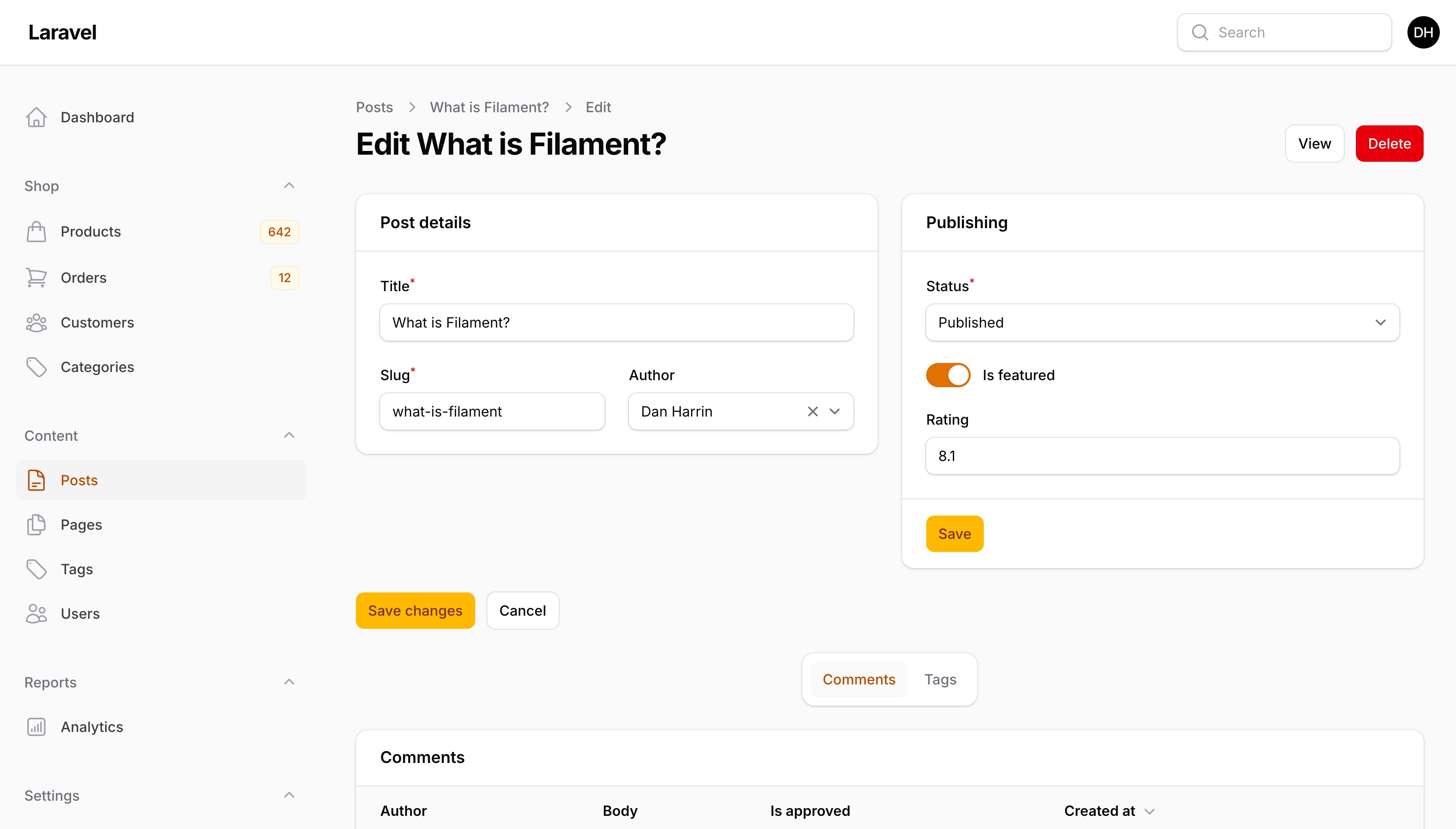
你可能希望允许用户独立保存表单的某一部分。一种方法是使用章节头部或底部的操作。在 action() 方法中,你可以调用 saveFormComponentOnly(),传入你想要保存的 Section 组件:
use Filament\Actions\Action;
use Filament\Notifications\Notification;
use Filament\Resources\Pages\EditRecord;
use Filament\Schemas\Components\Section;

Section::make('速率限制')
    ->schema([
        // ...
    ])
    ->footerActions([
        fn (string $operation): Action => Action::make('save')
            ->action(function (Section $component, EditRecord $livewire) {
                $livewire->saveFormComponentOnly($component);

                Notification::make()
                    ->title('速率限制已保存')
                    ->body('速率限制设置已成功保存。')
                    ->success()
                    ->send();
            })
            ->visible($operation === 'edit'),
    ])
$operation 辅助变量可用于确保操作仅在编辑表单时可见。
中止保存过程
你可以随时在生命周期钩子或修改方法中调用 $this->halt(),这将中止整个保存过程:
use Filament\Actions\Action;
use Filament\Notifications\Notification;

protected function beforeSave(): void
{
    if (! $this->getRecord()->team->subscribed()) {
        Notification::make()
            ->warning()
            ->title('你没有有效的订阅!')
            ->body('请选择一个方案以继续。')
            ->persistent()
            ->actions([
                Action::make('subscribe')
                    ->button()
                    ->url(route('subscribe'), shouldOpenInNewTab: true),
            ])
            ->send();

        $this->halt();
    }
}
或者,如果你在模态操作中编辑记录,请查阅操作文档。
授权
在授权方面,Filament 会遵循应用中注册的所有模型策略。
如果模型策略的 update() 方法返回 true,用户可以访问编辑页面。
如果策略的 delete() 方法返回 true,用户还可以删除记录。
自定义操作
"操作"是显示在页面上的按钮,允许用户在页面上运行 Livewire 方法或访问 URL。
在资源页面上,操作通常出现在两个位置:页面右上角和表单下方。
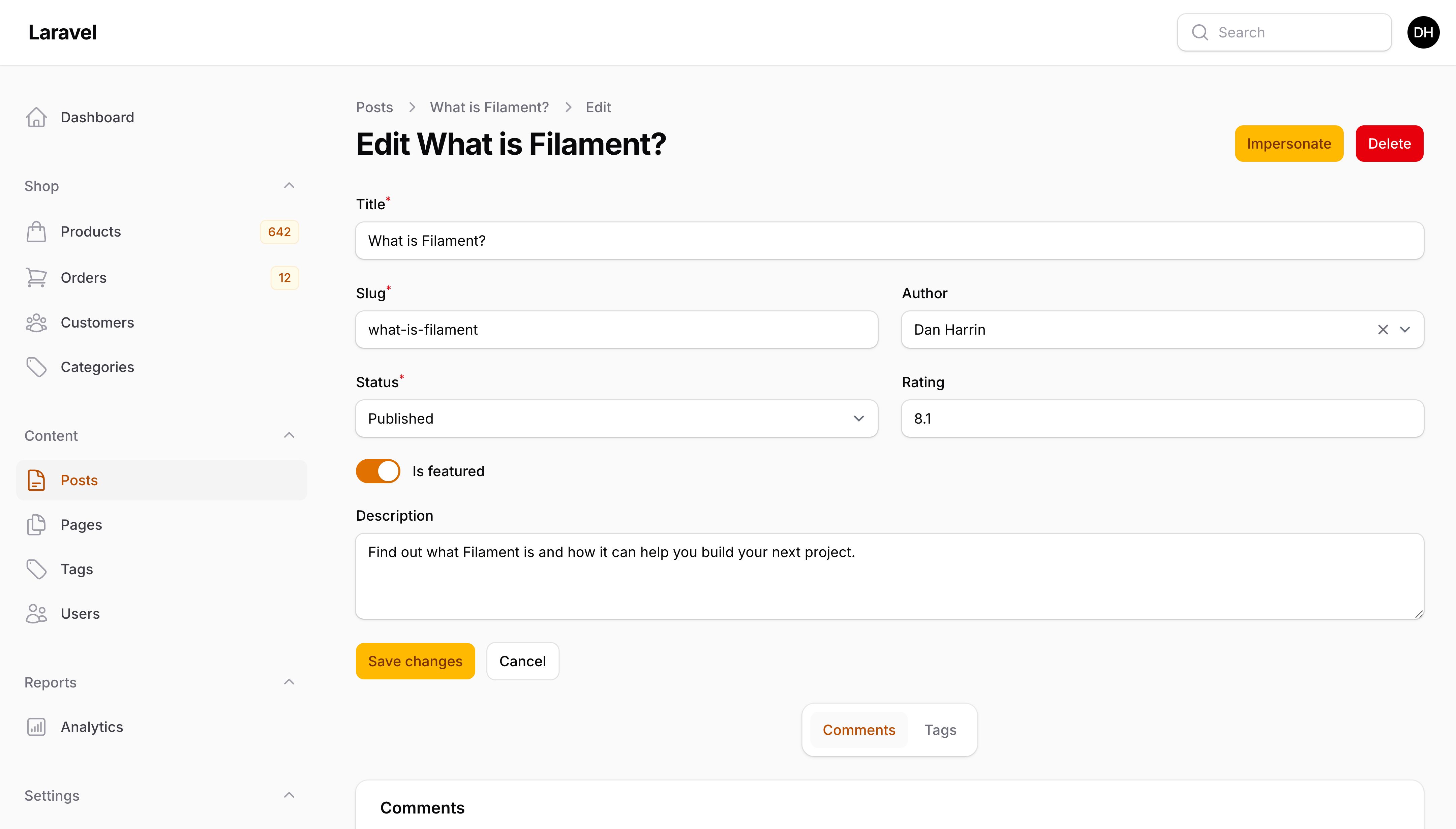
例如,你可以在编辑页面的"删除"按钮旁边添加一个新的按钮操作:
use Filament\Actions;
use Filament\Resources\Pages\EditRecord;

class EditUser extends EditRecord
{
    // ...

    protected function getHeaderActions(): array
    {
        return [
            Actions\Action::make('impersonate')
                ->action(function (): void {
                    // ...
                }),
            Actions\DeleteAction::make(),
        ];
    }
}
或者,在表单下方的"保存"按钮旁边添加一个新按钮:
use Filament\Actions\Action;
use Filament\Resources\Pages\EditRecord;

class EditUser extends EditRecord
{
    // ...

    protected function getFormActions(): array
    {
        return [
            ...parent::getFormActions(),
            Action::make('close')->action('saveAndClose'),
        ];
    }

    public function saveAndClose(): void
    {
        // ...
    }
}
要查看完整的操作 API,请访问页面部分。
将保存操作按钮添加到头部
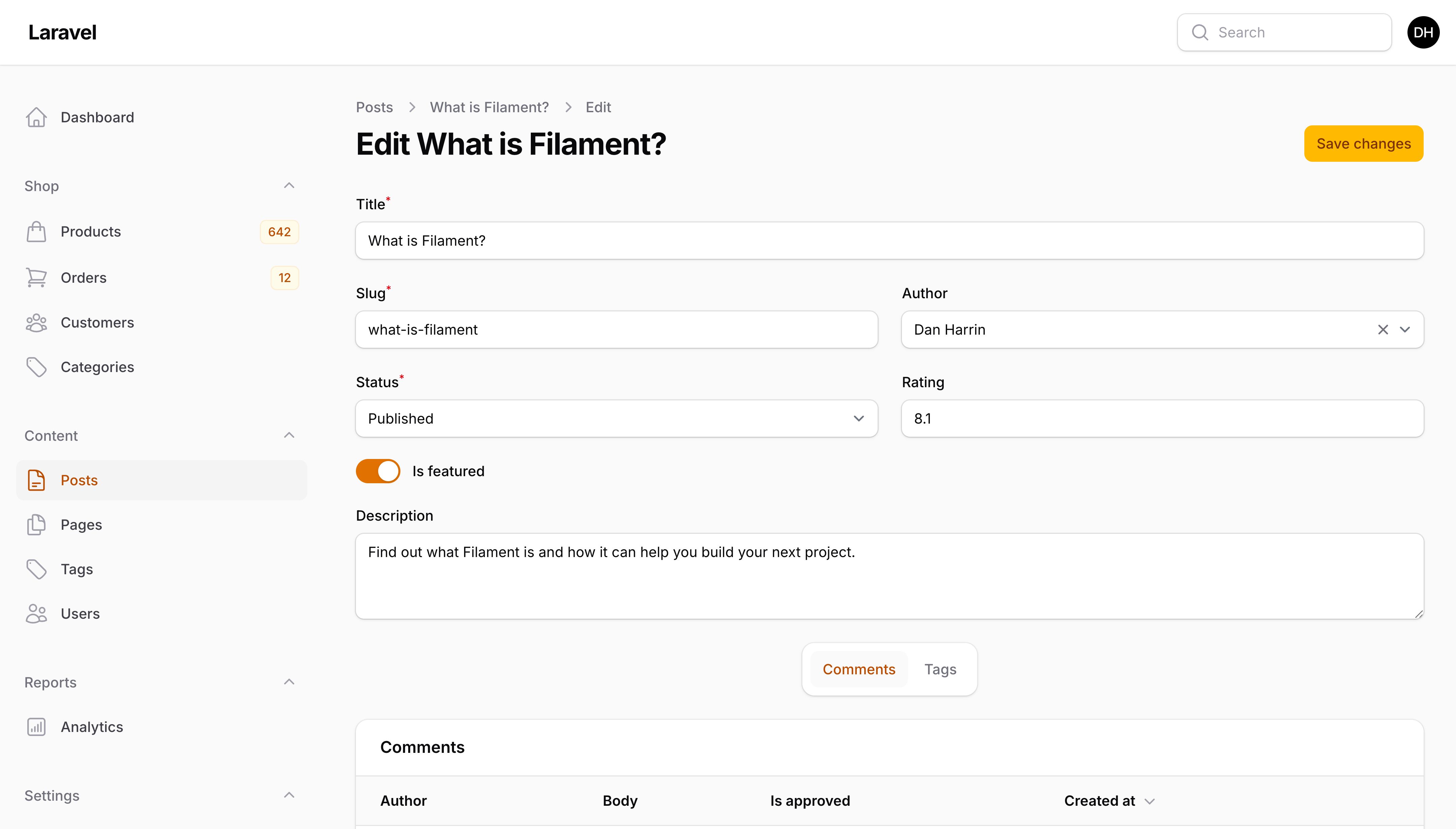
你可以通过覆盖 getHeaderActions() 方法并使用 getSaveFormAction() 将"保存"按钮添加到页面头部。你需要向操作传递 formId(),以指定该操作应提交 ID 为 form 的表单,即页面视图中使用的 <form> ID:
protected function getHeaderActions(): array
{
    return [
        $this->getSaveFormAction()
            ->formId('form'),
    ];
}
你可以通过覆盖 getFormActions() 方法返回空数组来移除表单中的所有操作:
protected function getFormActions(): array
{
    return [];
}
创建另一个编辑页面
一个编辑页面可能不足以让用户浏览大量的表单字段。你可以为资源创建任意多个编辑页面。如果你使用资源子导航,这一点尤其有用,因为你可以轻松地在不同的编辑页面之间切换。
要创建编辑页面,你应该使用 make:filament-page 命令:
php artisan make:filament-page EditCustomerContact --resource=CustomerResource --type=EditRecord
你必须在资源的 getPages() 方法中注册这个新页面:
public static function getPages(): array
{
    return [
        'index' => Pages\ListCustomers::route('/'),
        'create' => Pages\CreateCustomer::route('/create'),
        'view' => Pages\ViewCustomer::route('/{record}'),
        'edit' => Pages\EditCustomer::route('/{record}/edit'),
        'edit-contact' => Pages\EditCustomerContact::route('/{record}/edit/contact'),
    ];
}
现在,你可以为此页面定义 form(),其中可以包含主编辑页面中不存在的其他字段:
use Filament\Schemas\Schema;

public function form(Schema $schema): Schema
{
    return $schema
        ->components([
            // ...
        ]);
}
将编辑页面添加到资源子导航
如果你使用资源子导航,你可以像平常一样在资源的 getRecordSubNavigation() 中注册此页面:
use App\Filament\Resources\Customers\Pages;
use Filament\Resources\Pages\Page;

public static function getRecordSubNavigation(Page $page): array
{
    return $page->generateNavigationItems([
        // ...
        Pages\EditCustomerContact::class,
    ]);
}
自定义页面内容
Filament 中的每个页面都有自己的模式,用于定义整体结构和内容。你可以通过在页面上定义 content() 方法来覆盖页面的模式。编辑页面的 content() 方法默认包含以下组件:
use Filament\Schemas\Schema;

public function content(Schema $schema): Schema
{
    return $schema
        ->components([
            $this->getFormContentComponent(), // 此方法返回一个组件,用于显示此资源中定义的表单
            $this->getRelationManagersContentComponent(), // 此方法返回一个组件,用于显示此资源中定义的关联管理器
        ]);
}
在 components() 数组中,你可以插入任何模式组件。你可以通过更改数组的顺序来重新排列组件,或移除不需要的组件。
使用自定义 Blade 视图
为了进一步自定义,你可以覆盖页面类上的静态 $view 属性为应用中的自定义视图:
protected string $view = 'filament.resources.users.pages.edit-user';
这假设你已在 resources/views/filament/resources/users/pages/edit-user.blade.php 创建了视图:
<x-filament-panels::page>
    {{-- `$this->getRecord()` 将返回此页面的当前 Eloquent 记录 --}}

    {{ $this->content }} {{-- 这将渲染 `content()` 方法中定义的页面内容,如果你想从头开始可以移除它 --}}
</x-filament-panels::page>