分组行
简介
你可以允许用户使用共同属性将表格行分组在一起。这对于以更有组织的方式显示大量数据非常有用。
分组可以使用要分组的属性名称(例如 'status')设置,也可以使用 Group 对象来自定义该分组的行为(例如 Group::make('status')->collapsible())。
默认按分组行
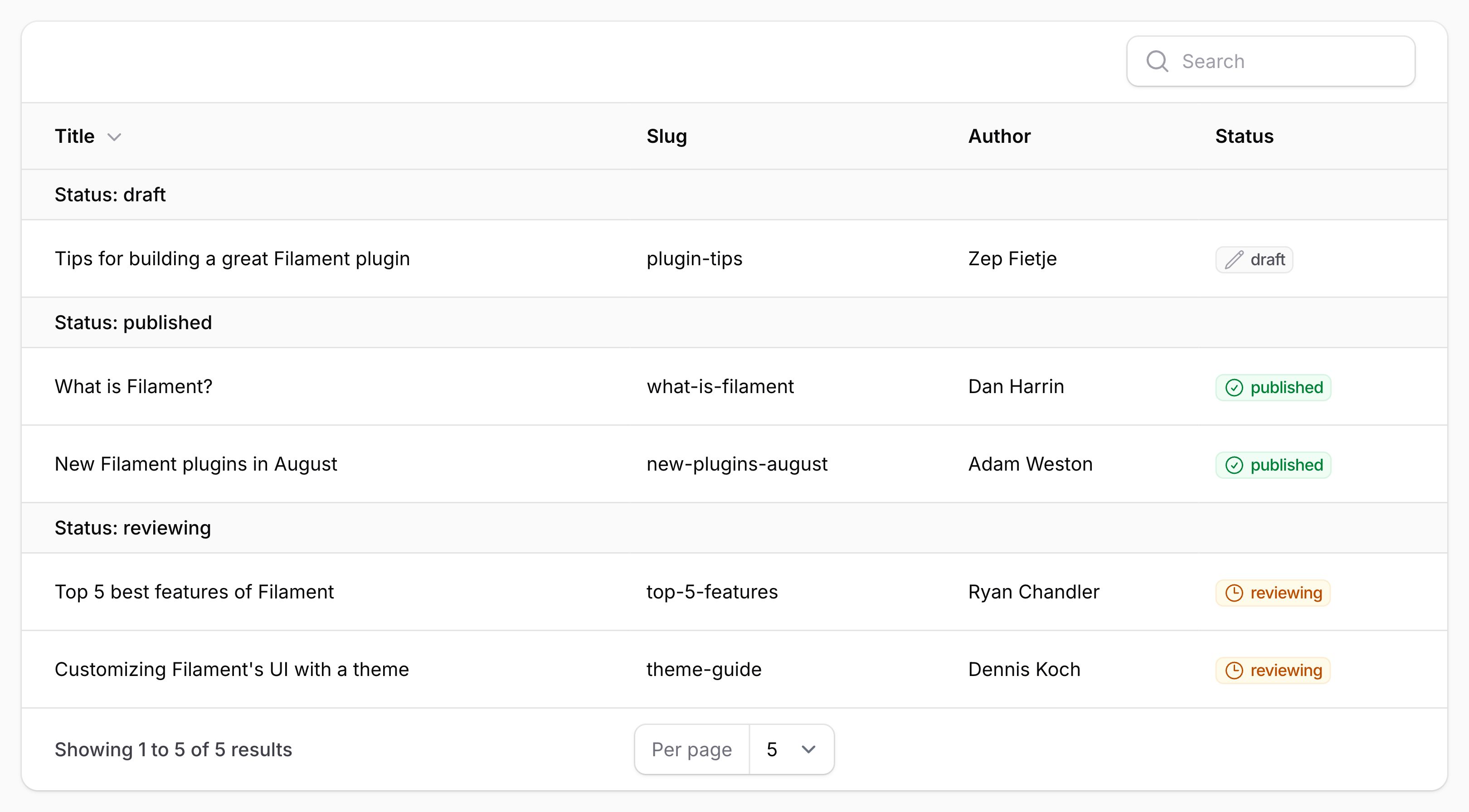
你可能希望始终按特定属性对文章进行分组。为此,请将分组传递给 defaultGroup() 方法:
use Filament\Tables\Table;

public function table(Table $table): Table
{
    return $table
        ->defaultGroup('status');
}
允许用户在分组之间选择
你还可以允许用户在不同的分组之间选择,通过将它们传递给 groups() 方法的数组:
use Filament\Tables\Table;

public function table(Table $table): Table
{
    return $table
        ->groups([
            'status',
            'category',
        ]);
}
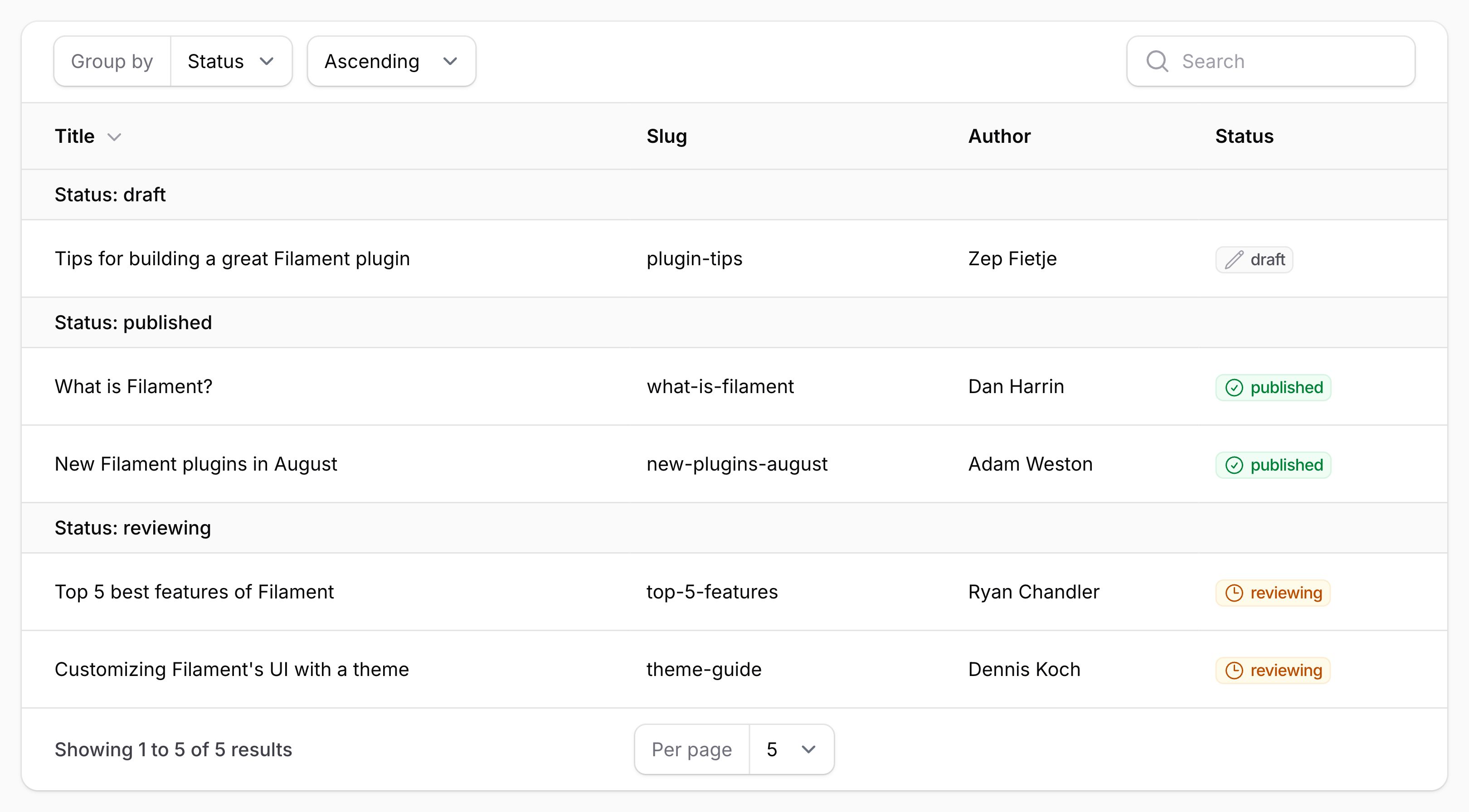
你可以同时使用 groups() 和 defaultGroup() 来允许用户在不同的分组之间选择,但设置一个默认分组:
use Filament\Tables\Table;

public function table(Table $table): Table
{
    return $table
        ->groups([
            'status',
            'category',
        ])
        ->defaultGroup('status');
}
按关联关系属性分组
你也可以使用点语法按关联关系属性分组。例如,如果你有一个具有 name 属性的 author 关联关系,你可以使用 author.name 作为属性名称:
use Filament\Tables\Table;

public function table(Table $table): Table
{
    return $table
        ->groups([
            'author.name',
        ]);
}
设置分组标签
默认情况下,分组的标签将基于属性生成。你可以使用 Group 对象的 label() 方法来自定义它:
use Filament\Tables\Grouping\Group;
use Filament\Tables\Table;

public function table(Table $table): Table
{
    return $table
        ->groups([
            Group::make('author.name')
                ->label('Author name'),
        ]);
}
设置分组标题
默认情况下,分组的标题将是属性的值。你可以通过从 Group 对象的 getTitleFromRecordUsing() 方法返回新标题来自定义它:
use Filament\Tables\Grouping\Group;
use Filament\Tables\Table;

public function table(Table $table): Table
{
    return $table
        ->groups([
            Group::make('status')
                ->getTitleFromRecordUsing(fn (Post $record): string => ucfirst($record->status->getLabel())),
        ]);
}
禁用标题标签前缀
默认情况下,标题以分组的标签为前缀。要禁此前缀,请使用 titlePrefixedWithLabel(false) 方法:
use Filament\Tables\Grouping\Group;
use Filament\Tables\Table;

public function table(Table $table): Table
{
    return $table
        ->groups([
            Group::make('status')
                ->titlePrefixedWithLabel(false),
        ]);
}
设置分组描述
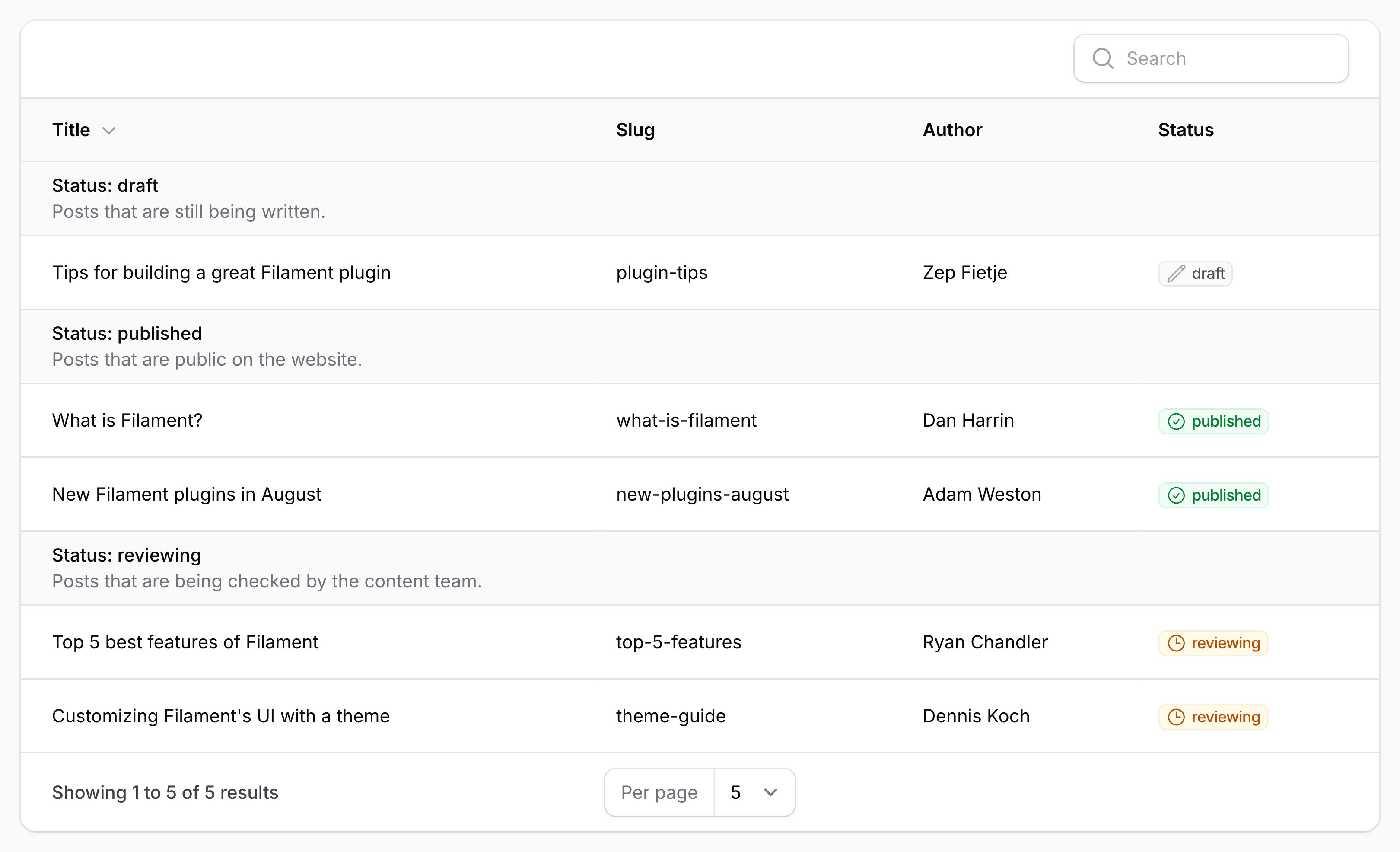
你还可以为分组设置描述,该描述将显示在分组标题下方。为此,请在 Group 对象上使用 getDescriptionFromRecordUsing() 方法:
use Filament\Tables\Grouping\Group;
use Filament\Tables\Table;

public function table(Table $table): Table
{
    return $table
        ->groups([
            Group::make('status')
                ->getDescriptionFromRecordUsing(fn (Post $record): string => $record->status->getDescription()),
        ]);
}
设置分组键
默认情况下,分组的键将是属性的值。它在内部用作该分组的原始标识符,而不是标题。你可以通过从 Group 对象的 getKeyFromRecordUsing() 方法返回新键来自定义它:
use Filament\Tables\Grouping\Group;
use Filament\Tables\Table;

public function table(Table $table): Table
{
    return $table
        ->groups([
            Group::make('status')
                ->getKeyFromRecordUsing(fn (Post $record): string => $record->status->value),
        ]);
}
日期分组
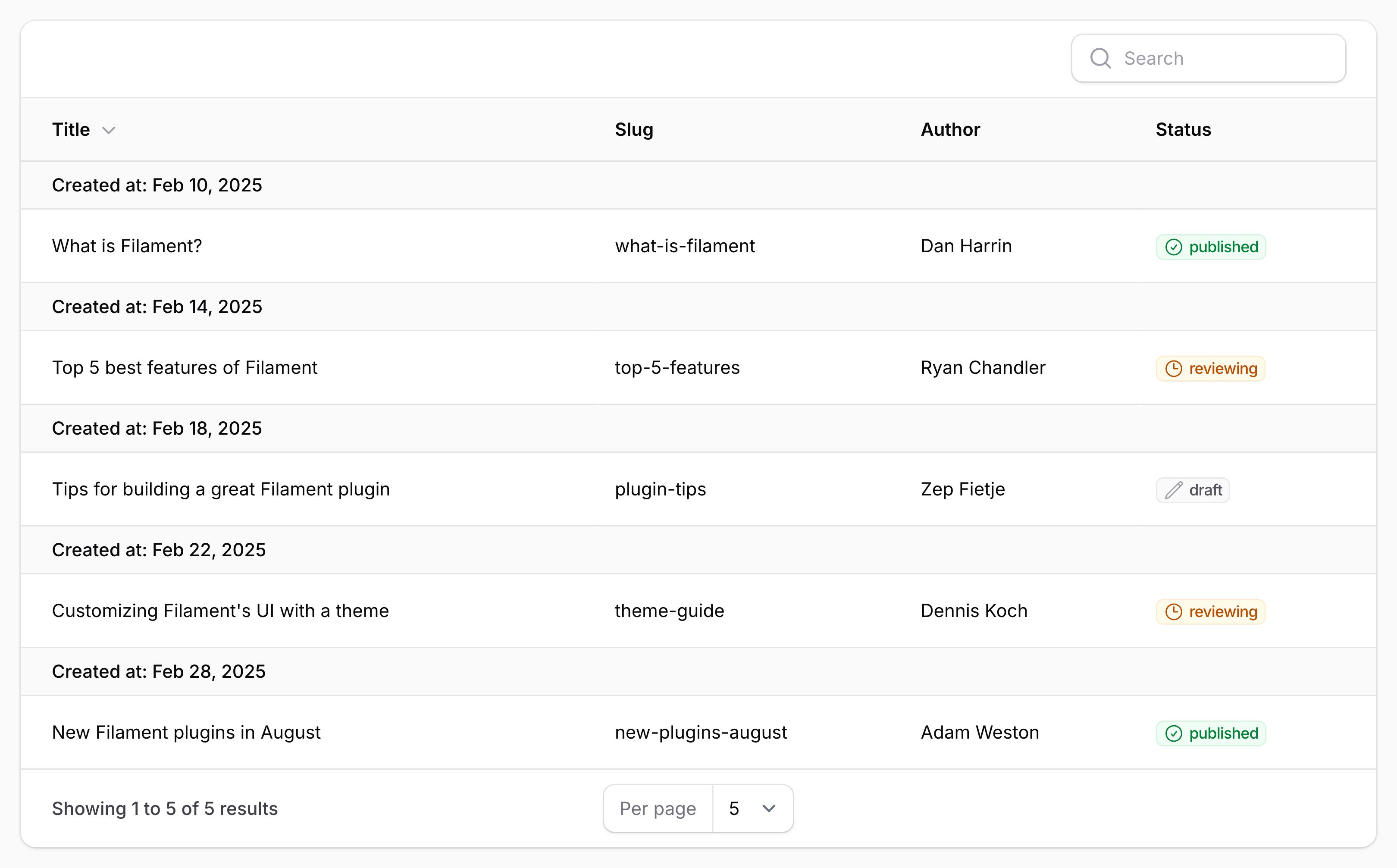
当使用日期时间列作为分组时,你可能希望仅按日期分组,而忽略时间。为此,请在 Group 对象上使用 date() 方法:
use Filament\Tables\Grouping\Group;
use Filament\Tables\Table;

public function table(Table $table): Table
{
    return $table
        ->groups([
            Group::make('created_at')
                ->date(),
        ]);
}
可折叠分组
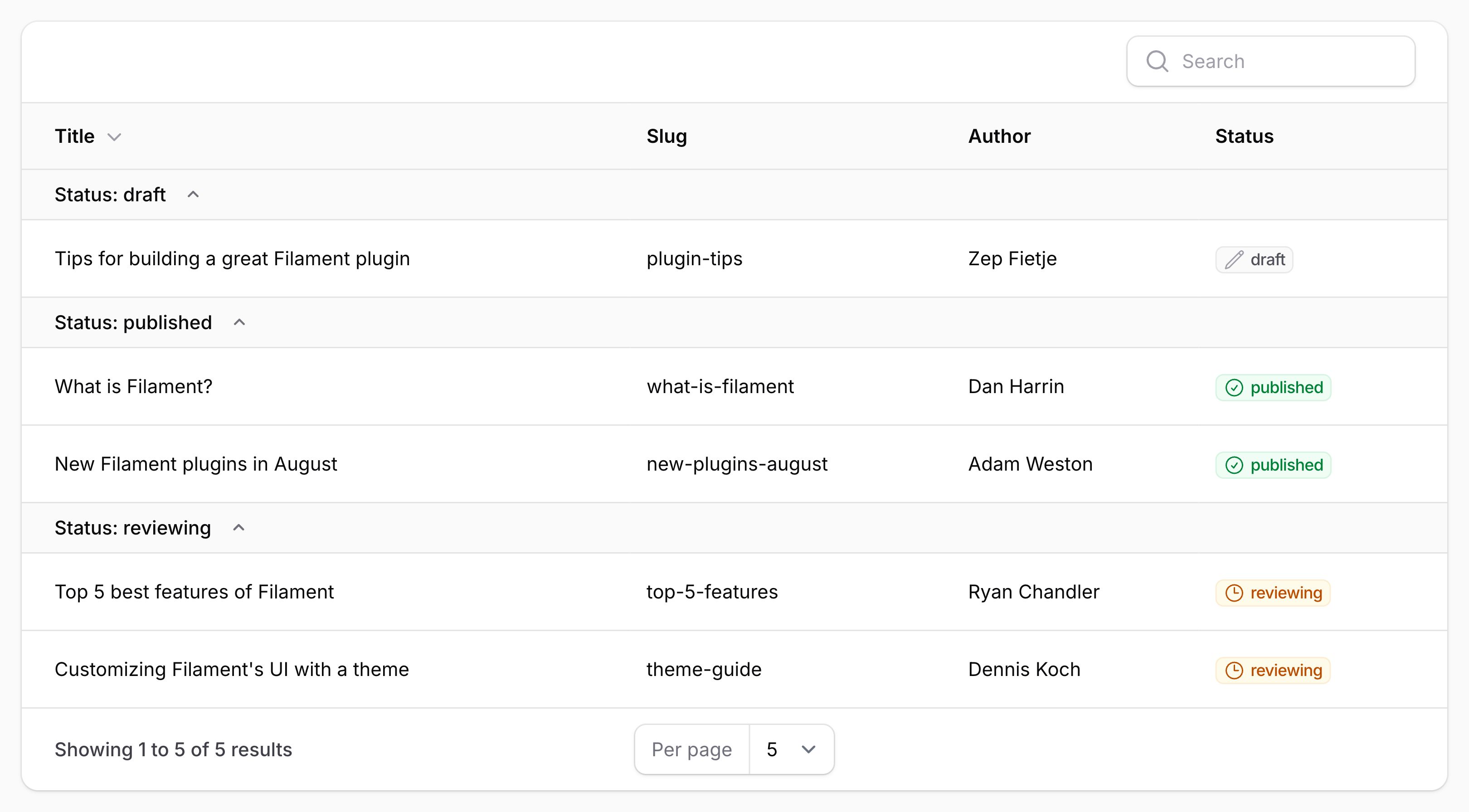
你可以允许分组内的行折叠在其分组标题下方。要启用此功能,请使用带有 collapsible() 方法的 Group 对象:
use Filament\Tables\Grouping\Group;
use Filament\Tables\Table;

public function table(Table $table): Table
{
    return $table
        ->groups([
            Group::make('author.name')
                ->collapsible(),
        ]);
}
默认折叠分组
默认情况下,使用 collapsible() 方法的分组在表格加载时是展开的。
如果你想让所有分组在表格加载时默认折叠,请使用 $table->collapsedGroupsByDefault():
use Filament\Tables\Grouping\Group;
use Filament\Tables\Table;

public function table(Table $table): Table
{
    return $table
        ->groups([
            Group::make('author.name')
                ->collapsible(),
        ])
        ->collapsedGroupsByDefault();
}
汇总分组
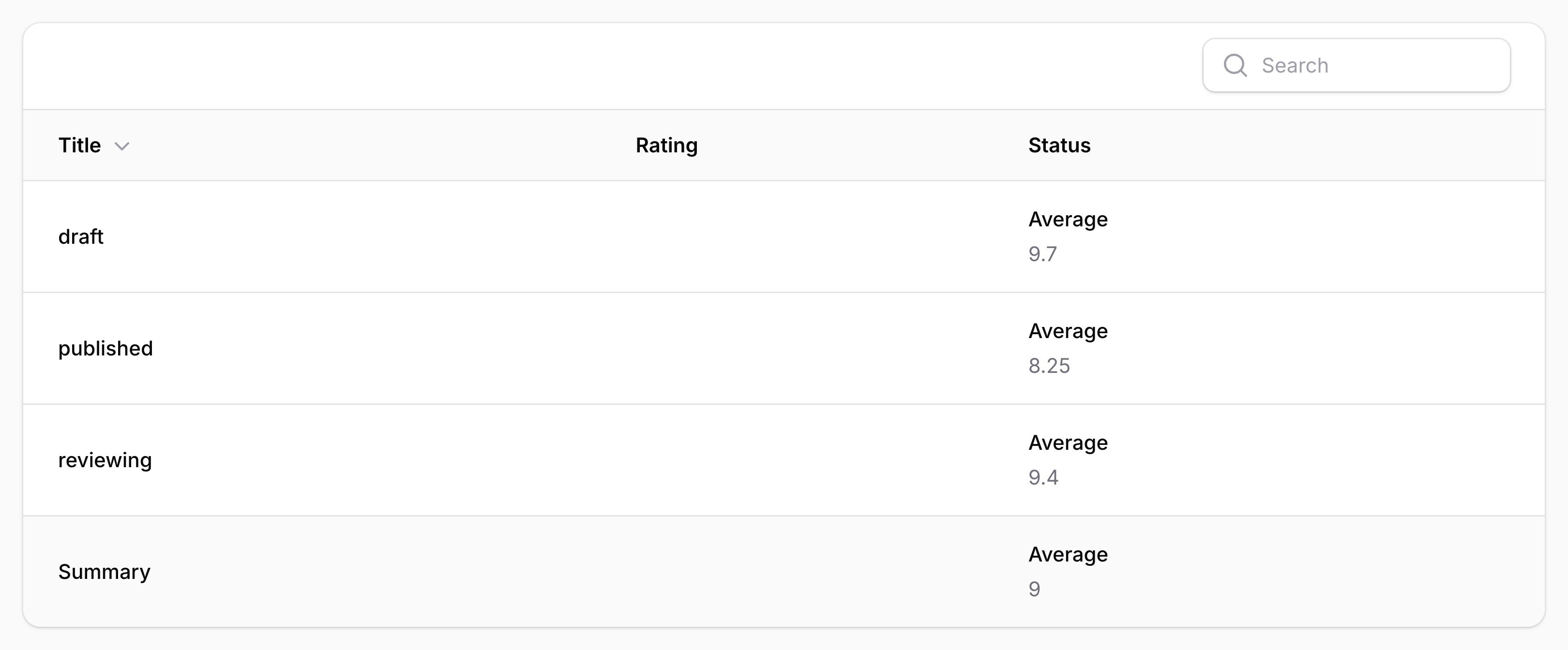
你可以将汇总与分组一起使用,以显示分组内记录的汇总。如果你选择在分组表格的列中添加汇总器,这将自动工作。
隐藏分组行并仅显示汇总
你可以使用 groupsOnly() 方法隐藏分组内的行,只显示每个分组的汇总。这在许多报告场景中非常有用。
use Filament\Tables\Columns\Summarizers\Sum;
use Filament\Tables\Columns\TextColumn;
use Filament\Tables\Table;

public function table(Table $table): Table
{
    return $table
        ->columns([
            TextColumn::make('views_count')
                ->summarize(Sum::make()),
            TextColumn::make('likes_count')
                ->summarize(Sum::make()),
        ])
        ->defaultGroup('category')
        ->groupsOnly();
}
自定义 Eloquent 查询排序行为
某些功能要求表格能够根据分组对 Eloquent 查询进行排序。你可以使用 Group 对象上的 orderQueryUsing() 方法来自定义我们如何执行此操作:
use Filament\Tables\Grouping\Group;
use Filament\Tables\Table;
use Illuminate\Database\Eloquent\Builder;

public function table(Table $table): Table
{
    return $table
        ->groups([
            Group::make('status')
                ->orderQueryUsing(fn (Builder $query, string $direction) => $query->orderBy('status', $direction)),
        ]);
}
自定义 Eloquent 查询作用域行为
某些功能要求表格能够根据分组限定 Eloquent 查询的范围。你可以使用 Group 对象上的 scopeQueryByKeyUsing() 方法来自定义我们如何执行此操作:
use Filament\Tables\Grouping\Group;
use Illuminate\Database\Eloquent\Builder;

public function table(Table $table): Table
{
    return $table
        ->groups([
            Group::make('status')
                ->scopeQueryByKeyUsing(fn (Builder $query, string $key) => $query->where('status', $key)),
        ]);
}
自定义 Eloquent 查询分组行为
某些功能要求表格能够根据分组对 Eloquent 查询进行分组。你可以使用 Group 对象上的 groupQueryUsing() 方法来自定义我们如何执行此操作:
use Filament\Tables\Grouping\Group;
use Illuminate\Database\Eloquent\Builder;

public function table(Table $table): Table
{
    return $table
        ->groups([
            Group::make('status')
                ->groupQueryUsing(fn (Builder $query) => $query->groupBy('status')),
        ]);
}
自定义分组下拉触发操作
要自定义分组下拉触发按钮,你可以使用 groupRecordsTriggerAction() 方法,传递一个返回操作的闭包。所有可用于自定义操作触发按钮的方法都可以使用:
use Filament\Actions\Action;
use Filament\Tables\Table;

public function table(Table $table): Table
{
    return $table
        ->groups([
            // ...
        ])
        ->groupRecordsTriggerAction(
            fn (Action $action) => $action
                ->button()
                ->label('Group records'),
        );
}
在桌面端使用分组设置下拉菜单
默认情况下,分组设置下拉菜单仅在移动设备上显示。在桌面设备上,分组设置在表格的头部。你可以使用 groupingSettingsInDropdownOnDesktop() 方法在桌面设备上也启用下拉菜单:
use Filament\Tables\Table;

public function table(Table $table): Table
{
    return $table
        ->groups([
            // ...
        ])
        ->groupingSettingsInDropdownOnDesktop();
}
隐藏分组设置
你可以使用 groupingSettingsHidden() 方法隐藏分组设置界面:
use Filament\Tables\Table;

public function table(Table $table): Table
{
    return $table
        ->defaultGroup('status')
        ->groupingSettingsHidden();
}
仅隐藏分组方向设置
你可以使用 groupingDirectionSettingHidden() 方法隐藏分组方向选择界面:
use Filament\Tables\Table;

public function table(Table $table): Table
{
    return $table
        ->defaultGroup('status')
        ->groupingDirectionSettingHidden();
}